

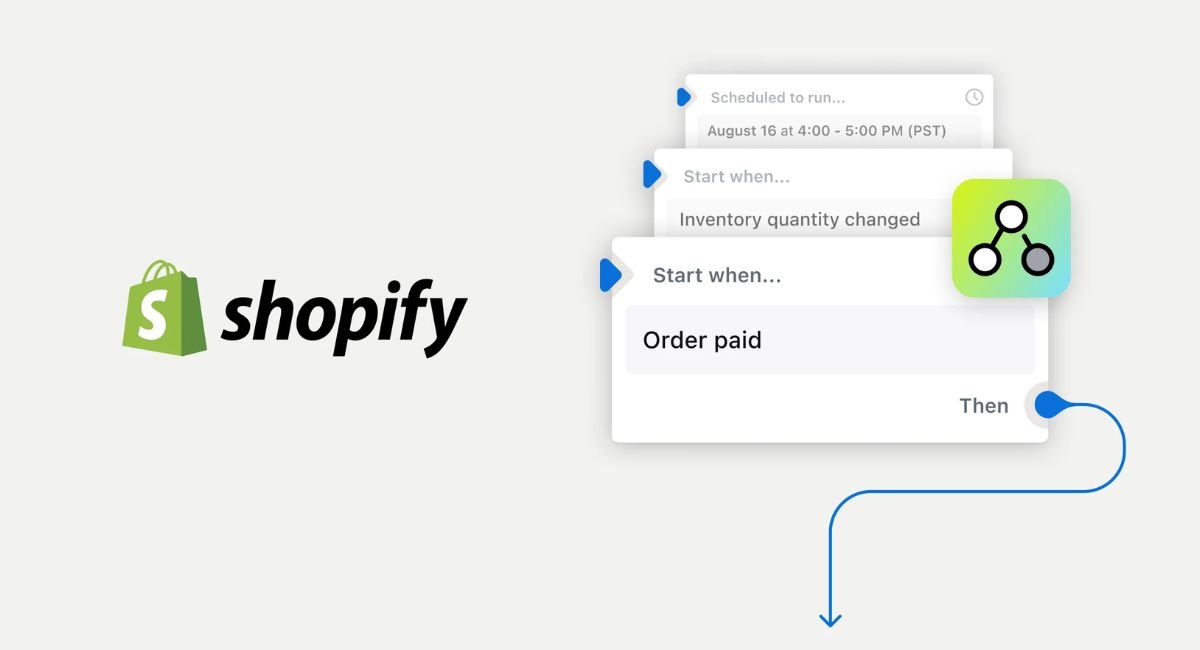
If you spend hours handling repetitive tasks in your Shopify store, learning how to use Shopify Flow AI to create workflows can be a real game changer. Instead of manually tagging customers, tracking inventory, or managing routine order actions, you can let AI help automate those processes in just a few clicks.
Shopify Flow AI works alongside Shopify Sidekick to turn simple instructions into automated workflows that save time and reduce errors. Whether you’re running a small online shop or a fast-growing ecommerce brand, this tool can help streamline daily operations and improve efficiency. The best part is that you don’t need coding skills to build powerful automations that keep your store running smoothly.
What Is Shopify Flow AI and Why Is Everyone Talking About It in 2026?
Shopify Flow AI combines the automation capabilities of Shopify Flow with the intelligence of Shopify Sidekick. Together, they allow merchants to describe a business process in plain English and transform that description into a functioning workflow. Instead of manually connecting workflow triggers and actions, users can explain what they want to happen and let the AI workflow builder create the initial structure. This approach dramatically reduces setup time while making automation more approachable for non-technical users.
The excitement surrounding Shopify Flow AI comes from its ability to simplify complex ecommerce automation. Businesses no longer need to spend hours configuring operational workflows for customer segmentation, inventory management automation, fulfillment automation, or internal alert systems. As AI-powered business processes become more common across ecommerce, Shopify merchants are discovering that intelligent workflow creation can improve productivity without requiring expensive developers or enterprise software. For many brands, Shopify Flow AI has become one of the most valuable Shopify productivity tools available today.
What Is Shopify Flow AI?
At its core, Shopify Flow AI is a no-code workflow builder designed to automate repetitive ecommerce tasks. The system uses workflow decision rules built around events, conditions, and actions. When a specific event occurs, Flow evaluates the conditions and performs predefined actions automatically. Sidekick enhances this process by helping merchants generate workflows through natural language prompts instead of manual configuration.
Think of Shopify Flow AI as a digital operations assistant. If inventory falls below a certain threshold, the workflow can send alerts automatically. If a customer reaches VIP status, the system can apply tags, update segments, and notify team members instantly. These AI-generated workflows reduce administrative work while improving consistency across Shopify store operations.
How Shopify Flow AI Works Inside Shopify Admin
The Shopify Flow setup process begins directly inside Shopify Admin. Merchants open the Flow application, describe the desired automation, and use Shopify Sidekick workflow generation to create a draft workflow. The AI analyzes the request and builds the trigger, condition logic, and action sequence needed to accomplish the task.
Once the workflow appears, merchants can review each step before activation. This workflow review process remains essential because AI-generated Shopify workflows still require human oversight. Small adjustments often make a significant difference. A threshold value, exception rule, or notification destination may need refinement before the automation becomes reliable enough for production use.
Why Ecommerce Brands Are Adopting AI Workflow Automation
Modern ecommerce businesses generate enormous amounts of operational data. Every order, customer interaction, inventory update, and product change creates information that can trigger automated actions. Managing these activities manually becomes increasingly difficult as a store grows. AI automation for online businesses solves this challenge by turning repetitive decisions into automated processes.
Many merchants adopt Shopify business automation because it improves accuracy and scalability. Instead of relying on team members to remember routine tasks, workflow automation software handles them automatically. Businesses exploring broader AI opportunities can also learn how to use AI to make money in 2026 through automation, digital products, and scalable online business models. This creates a more predictable operation while freeing employees to focus on strategy, customer relationships, and growth initiatives.
Who Should Use Shopify Flow AI?
Shopify Flow AI works particularly well for growing stores that manage large volumes of products, orders, or customer interactions. Merchants struggling with repetitive administrative work often see immediate benefits after implementing Shopify operations automation. Marketing teams, inventory managers, customer support departments, and fulfillment specialists can all leverage automated workflows Shopify offers.
Even small businesses benefit from automation for online stores. A startup processing only a few dozen orders daily may still save hours each week through customer tagging automation, inventory alert automation, and workflow optimization strategies. As the business grows, these systems scale naturally without requiring significant additional effort.
Key Benefits for Shopify Store Owners
The greatest advantage of Shopify Flow AI lies in its ability to simplify complex processes. Tasks that once required manual monitoring now happen automatically in the background. Customer segmentation automation becomes faster, order management workflows become more reliable, and internal communication improves through automated notifications.
Another important benefit involves operational visibility. Automated workflows often reveal inefficiencies that previously went unnoticed. As merchants review workflow performance and results, they gain a clearer understanding of their business processes. This visibility supports better decision-making while improving overall Shopify operational efficiency.
Shopify Flow AI Setup Guide: Create Your First Automated Workflow in Minutes
Getting started with Shopify Flow AI is surprisingly straightforward. The platform was designed to remove technical barriers and help merchants build automation without programming knowledge. Most users can create their first workflow within minutes after opening the Shopify Flow application and defining a clear business objective.
Success begins with identifying a repetitive task that follows predictable rules. Effective workflow automation for ecommerce stores depends on consistency. The clearer the workflow decision rules are, the better the resulting automation performs. Tasks involving customer tagging, inventory monitoring, order review, and internal notifications typically make excellent starting points for new users.
Requirements Before Getting Started
Before creating workflows with Shopify Flow AI, merchants should verify that Shopify Flow is available within their subscription plan. Access requirements may vary depending on the Shopify plan being used. Having clearly documented business processes also helps improve results because AI-generated workflows perform best when objectives are specific.
Store owners should also understand the data sources involved in their automation. Customer profiles, order information, inventory levels, product metadata, and application integrations often play critical roles in workflow behavior. Understanding these data points helps create more accurate and reliable automation.
How to Access Shopify Flow and Sidekick
Accessing Shopify Flow typically begins through Shopify Admin. Once installed and activated, merchants can open the application and begin designing workflows. Shopify Sidekick integrates directly into the administrative environment, allowing users to describe automation goals using conversational language.
This integration eliminates much of the complexity traditionally associated with workflow creation. Rather than navigating multiple configuration screens manually, merchants can explain desired outcomes and allow the AI-assisted workflow design system to generate a starting framework automatically.
Connecting Shopify Flow to Your Store Operations
Effective Shopify app automation requires alignment with actual business processes. Before activating any workflow, merchants should identify where automation creates the greatest operational impact. Inventory management, customer service, marketing segmentation, fraud prevention, and order fulfillment frequently provide strong automation opportunities.
Connecting automation to meaningful business objectives ensures better long-term results. Workflows should solve real operational challenges rather than simply automate tasks for the sake of automation. Purpose-driven workflows typically deliver stronger return on investment and greater organizational value.
Choosing the Right Automation Goal
The best first automation project often involves a low-risk process. Internal alert automation serves as an excellent example because it provides immediate value without directly affecting customers. Inventory alerts, product review notifications, and order review queues all help teams gain confidence in workflow automation.
More advanced workflows can follow later. Customer experience automation, lifecycle marketing campaigns, and automated fulfillment processes introduce additional complexity. Beginning with simpler workflows allows merchants to learn platform capabilities while minimizing operational risk.
Building Your First AI-Generated Workflow Step by Step
A typical Shopify Flow AI tutorial begins with defining a trigger event. For example, a merchant might specify that when inventory falls below ten units, an internal alert should be generated. Sidekick analyzes the request and creates the corresponding workflow structure automatically.
After generating the draft, merchants review the trigger, conditions, and actions. Adjustments may include changing thresholds, adding exceptions, or specifying notification recipients. Once testing confirms expected behavior, the workflow can be activated and monitored in a live environment.
Testing Before Activation
Workflow testing and validation represent some of the most important stages in the entire automation process. A workflow that appears correct on paper may behave differently when exposed to real-world scenarios. Testing helps identify edge cases, duplicate actions, and unexpected outcomes before they affect customers.
Workflow testing best practices include evaluating positive scenarios, negative scenarios, boundary conditions, and exception cases. For example, a low inventory notification workflow should be tested using products that fall below the threshold as well as products that remain above it. Thorough validation creates more dependable automation while reducing the risk of costly errors.
| Testing Area | Purpose |
| Trigger Testing | Confirms workflow starts correctly |
| Condition Testing | Verifies rules evaluate accurately |
| Action Testing | Ensures intended actions occur |
| Exception Testing | Prevents unwanted automation |
| Workflow Branch Testing | Validates alternate workflow paths |
| Monitoring Review | Confirms live performance after launch |
The most successful merchants treat automation as an evolving system rather than a one-time project. Careful monitoring during the first few days after activation often reveals opportunities for workflow optimization. Small improvements made early can significantly increase long-term performance and reliability.
How to Use Shopify Flow AI Prompts to Generate Workflows Faster
One of the biggest advantages of Shopify Flow AI is the ability to generate workflows with AI instead of building every step manually. A well-written prompt acts like a blueprint. The more details you provide, the more accurate the workflow becomes. Merchants who learn how to write effective Shopify Flow AI prompts often create automations in minutes rather than spending hours connecting conditions and actions. This makes AI workflow automation for Shopify especially valuable for busy store owners who want faster results without sacrificing accuracy.
Strong prompts usually follow a simple formula that includes the trigger, condition, action, exception, and desired outcome. For example, instead of writing “create a VIP workflow,” you might write, “When a customer reaches $500 in lifetime spending, add a VIP tag, notify the marketing manager, and skip customers who already have the tag.” This structure helps Shopify Sidekick workflow generation understand exactly what needs to happen. Better prompts lead to better AI-generated Shopify workflows and fewer revisions later.
Understanding the Structure of a Great Workflow Prompt
Every successful workflow begins with clear instructions. Shopify Flow AI performs best when merchants explain what event should start the workflow, what conditions should be checked, and what action should happen next. This approach mirrors the workflow triggers conditions actions model that powers all automation inside Shopify Flow.
Many merchants compare prompt writing to giving directions to a new employee. If instructions are vague, mistakes happen. If instructions are precise, the outcome becomes much more predictable. That’s why prompt quality directly affects workflow optimization and long-term automation success.
The Trigger-Condition-Action Framework
The trigger-condition-action framework forms the foundation of Shopify workflow management. A trigger starts the workflow. Conditions determine whether it should continue. Actions define what happens next. Together, these components create a structured decision-making process that powers ecommerce process automation.
For example, an order placed by a customer might serve as the trigger. The workflow then checks whether the customer’s total spending exceeds a certain amount. If the condition is true, the system automatically applies a VIP tag and sends an internal notification. This simple structure can support everything from customer tagging workflow automation to advanced operational automation.
Best Shopify Flow AI Prompt Templates
Prompt templates help merchants create consistent workflows across multiple departments. Marketing teams often use templates for customer segmentation automation while operations teams rely on them for inventory management automation and fulfillment automation. Templates save time because they establish a repeatable format for workflow creation.
Many successful ecommerce brands maintain a library of approved prompts. This practice improves consistency and supports scalable ecommerce automation. As the business grows, teams can reuse proven prompt structures instead of starting from scratch every time.
AI Prompts for Customer Segmentation
Customer segmentation remains one of the most effective applications of Shopify automation tools. By automatically organizing customers into meaningful groups, merchants can personalize marketing campaigns and improve customer experience. Automated customer segmentation allows businesses to target shoppers based on spending habits, order frequency, product preferences, and engagement history.
For example, a merchant could create a workflow that identifies customers who place three orders within sixty days. The workflow might then assign a loyalty tag and notify the marketing team. Such automations strengthen lifecycle marketing efforts while reducing manual analysis.
AI Prompts for Inventory Management
Inventory management often creates operational bottlenecks for growing stores. Fortunately, Shopify Flow AI can automate many monitoring tasks. Merchants can generate workflows that track stock levels, identify fast-selling products, and trigger replenishment alerts when inventory reaches predefined thresholds.
These automations improve inventory management while reducing the risk of stockouts. A low inventory notification workflow helps teams react quickly to changing demand and maintain product availability during peak sales periods.
AI Prompts for Marketing Automation
Marketing automation benefits significantly from AI-assisted workflow design. Shopify Flow AI can help merchants build workflows that trigger promotions, reward loyal customers, and support customer retention campaigns. Marketing teams often use automation to identify high-value customers and create personalized experiences at scale.
Rather than manually reviewing customer behavior, workflows can monitor engagement automatically. This creates a more responsive marketing system while improving overall customer experience automation across the store.
AI Prompts for Order Processing
Order management workflows help merchants streamline routine fulfillment tasks. AI-powered automation can identify unusual orders, flag high-risk transactions, and route specific orders for manual review. These workflows improve efficiency while supporting better operational control.
As order volume grows, automation becomes increasingly valuable. Merchants who automate order review processes often reduce delays while maintaining quality standards throughout fulfillment operations.
Common Prompt Mistakes to Avoid
Many workflow issues originate from vague instructions. Prompts that lack specific thresholds, conditions, or exceptions frequently produce inaccurate results. Another common mistake involves overlooking workflow exception handling. Without proper safeguards, workflows may trigger actions when they should not.
Testing remains essential even when prompts appear well written. The best Shopify Flow use cases emerge when merchants combine clear prompts with thorough workflow testing and validation. This combination produces reliable automations that support long-term business growth.
10 Best Shopify Flow AI Workflow Examples You Can Copy Today
The most effective Shopify automation examples solve recurring business challenges without adding unnecessary complexity. Successful workflows often focus on repetitive decisions that consume valuable time. By automating these processes, merchants improve productivity while reducing the risk of human error. Shopify Flow templates provide a practical starting point for businesses exploring AI-powered automation.
The following workflow examples represent some of the most widely used automations across modern ecommerce operations. They support customer retention, inventory control, fraud prevention, and operational efficiency. While each workflow serves a different purpose, all share the same goal of making Shopify store automation more reliable and scalable.
VIP Customer Tagging Automation
High-value customers deserve special attention. A VIP customer automation workflow automatically identifies shoppers who exceed a predefined spending threshold. Once qualified, the workflow applies tags, updates segments, and alerts the marketing team.
This type of customer tagging automation improves personalization while supporting retention efforts. Merchants can deliver exclusive promotions and tailored experiences without manually tracking customer spending patterns.
Low Inventory Alert Workflow
Inventory shortages often lead to missed revenue opportunities. A low inventory notification workflow continuously monitors stock levels and alerts team members when inventory falls below a specified threshold. This proactive approach helps businesses maintain product availability.
By automating inventory alert automation, merchants reduce the likelihood of stockouts during periods of strong demand. The workflow also supports better purchasing decisions and inventory planning.
High-Risk Order Detection
Fraud prevention remains a priority for online retailers. A fraud detection workflow Shopify merchants frequently use identifies orders that match specific risk indicators. Suspicious transactions can be flagged automatically for manual review before fulfillment begins.
This workflow strengthens operational security while protecting revenue. Automated reviews help merchants respond quickly to potential fraud without slowing down normal order processing.
Customer Win-Back Automation
Customer retention costs less than customer acquisition in most ecommerce businesses. Win-back workflows identify inactive customers and trigger re-engagement efforts automatically. These workflows often support email campaigns, discount offers, and personalized messaging strategies.
By automating retention activities, merchants can reconnect with previous customers without dedicating significant manual effort. The result is improved lifetime customer value and stronger long-term profitability.
Abandoned Checkout Follow-Up Workflow
Abandoned carts represent lost sales opportunities. Shopify Flow AI can help merchants automate follow-up activities that encourage customers to complete their purchases. Timely reminders often recover revenue that might otherwise disappear.
These workflows become especially valuable during busy shopping seasons when customer activity increases dramatically. Automated engagement helps maintain consistent communication without overwhelming internal teams.
Product Review Request Workflow
Customer reviews influence purchasing decisions and improve store credibility. A review request workflow automatically contacts customers after order delivery and encourages feedback. Consistent review collection supports stronger product pages and increased trust.
Merchants often combine these workflows with customer experience automation strategies to improve satisfaction and build stronger relationships with shoppers.
Loyalty Program Enrollment Automation
Loyalty programs become far more effective when enrollment happens automatically. Shopify Flow AI can identify qualifying customers and enroll them in rewards programs without manual intervention. This process improves participation rates and strengthens retention efforts.
Automated enrollment removes friction from the customer journey. Shoppers receive rewards faster while merchants reduce administrative overhead.
Wholesale Customer Management Workflow
Wholesale operations frequently require different pricing, communication methods, and approval processes. Workflow automation software can identify wholesale customers automatically and assign the appropriate tags or permissions.
This workflow simplifies account management while supporting smoother interactions between merchants and business customers. As wholesale programs grow, automation becomes increasingly important.
Internal Team Notification System
Communication delays often create operational inefficiencies. Internal alert automation ensures the right team members receive notifications when important events occur. Inventory issues, order exceptions, and customer service concerns can all trigger automated alerts.
Faster communication improves workflow ownership and monitoring. Teams respond more quickly because information reaches the correct people at the right time.
Product Data Quality Monitoring Workflow
Product data quality directly affects customer experience and search visibility. Automated workflows can monitor product listings for missing images, incomplete descriptions, or inaccurate information. When issues appear, the workflow alerts the responsible team member.
This approach improves catalog accuracy while supporting stronger merchandising efforts. Consistent monitoring also reduces the likelihood of errors reaching customers.
| Workflow Example | Primary Benefit |
| VIP Customer Automation | Customer retention |
| Inventory Alert Workflow | Stock management |
| Fraud Detection Workflow | Risk reduction |
| Win-Back Campaign Workflow | Customer recovery |
| Abandoned Checkout Workflow | Revenue recovery |
| Review Request Workflow | Social proof |
| Loyalty Enrollment Workflow | Repeat purchases |
| Wholesale Management Workflow | Operational efficiency |
| Internal Notification Workflow | Faster communication |
| Product Quality Monitoring | Better catalog management |
These examples demonstrate how Shopify Flow AI transforms repetitive tasks into intelligent automation. Merchants who start with simple workflows often discover additional opportunities for workflow optimization across nearly every area of their business.
Shopify Flow AI vs Manual Workflow Creation: Which Saves More Time?

As ecommerce operations become more complex, merchants face an important decision: build workflows manually or use AI-powered automation. Traditional workflow creation gives complete control over every condition and action. However, it often requires significant time, especially when multiple branches, exceptions, and integrations are involved. For growing stores, manual configuration can quickly become a bottleneck that slows operational improvements.
Shopify Flow AI changes this process by accelerating intelligent workflow creation. Instead of spending hours building workflow logic, merchants can describe their goals and generate workflows with AI. Although human review remains essential, the initial setup becomes dramatically faster. Businesses that manage frequent operational changes often find AI-assisted workflow design far more efficient than creating every automation from scratch.
Workflow Creation Speed Comparison
Manual workflow creation requires merchants to select triggers, define conditions, configure actions, and test every step individually. Even experienced users can spend considerable time designing advanced Shopify automation. The more complex the workflow becomes, the longer the implementation process takes.
With Shopify Sidekick workflow generation, much of this setup happens automatically. The AI interprets natural language instructions and produces a functioning workflow draft. While adjustments are usually necessary, merchants can often reduce workflow development time by more than half compared to manual methods.
Learning Curve Analysis
Manual workflow design requires a deeper understanding of workflow triggers and actions. New users frequently spend time learning platform terminology and automation logic before creating reliable workflows. This learning process can delay adoption and limit experimentation.
Shopify Flow AI lowers that barrier significantly. Because users communicate through natural language, they can focus on business goals instead of technical configuration. This accessibility makes workflow automation for ecommerce stores available to a much wider audience.
Accuracy and Human Oversight
AI-generated workflows can save time, but they don’t eliminate the need for oversight. Human-in-the-loop automation remains critical because business rules often contain nuances that AI may overlook. Merchants should always conduct a Shopify Flow review before activation to verify conditions, thresholds, and exceptions.
Manual workflows offer greater precision from the start because users configure every component themselves. However, they also introduce the possibility of human errors during setup. The most successful approach often combines AI-generated drafts with careful human validation.
Scalability for Growing Stores
As stores expand, workflow volume increases rapidly. Managing customer segmentation automation, inventory management automation, and order fulfillment automation manually becomes increasingly difficult. AI-powered business processes allow businesses to scale automation without proportional increases in administrative workload.
Large merchants often rely on Shopify merchant automation to maintain operational consistency. By automating repetitive decisions, they create systems capable of supporting growth while preserving efficiency and accuracy.
Cost and Resource Efficiency
Manual workflow development consumes employee time, which translates directly into operational costs. Teams responsible for marketing, fulfillment, or customer support may spend hours configuring and maintaining automations.
Shopify Flow AI helps reduce those costs by accelerating implementation. The ability to create workflows with Shopify Flow AI allows businesses to allocate resources toward strategic initiatives rather than repetitive setup tasks.
When Manual Workflows Still Make Sense
Some workflows require extensive customization, advanced integrations, or highly specific business rules. In these situations, manual development may provide greater flexibility. Complex automation decision making sometimes benefits from direct configuration rather than AI-generated suggestions.
Businesses handling sensitive operations often prefer manual control over critical workflows. This approach ensures every condition receives detailed review before deployment.
Free vs Paid Shopify Flow AI: Is Upgrading Worth the Cost?
One of the most common questions merchants ask involves Shopify Flow pricing and whether upgrading provides enough value to justify the expense. The answer depends largely on workflow complexity, automation volume, and business growth objectives. Smaller stores may find basic automation sufficient, while larger organizations often benefit from advanced features.
Evaluating Shopify Flow free vs paid options requires understanding both current requirements and future scalability. Businesses that expect rapid growth should consider whether their automation needs will expand over time. Investing in stronger automation capabilities early can prevent costly transitions later.
Is Shopify Flow AI Free?
Shopify Flow is included with various Shopify plans, though feature availability may vary. Merchants should review current plan details to determine which automation capabilities are accessible within their subscription. Basic workflow automation often provides significant value even without additional investments.
Many small businesses successfully automate customer tagging workflow processes, internal notifications, and inventory monitoring using existing platform features. For these merchants, entry-level automation may deliver substantial productivity improvements.
Shopify Plans That Include Flow
Different Shopify plans support different levels of automation functionality. Businesses should evaluate plan features carefully before committing to upgrades. The right plan depends on order volume, operational complexity, and long-term growth goals.
Merchants operating on Shopify Plus often leverage more advanced ecommerce workflow management capabilities. These businesses typically manage larger product catalogs, higher transaction volumes, and more sophisticated automation requirements.
Features Available Without Additional Cost
Basic Shopify automation solutions often include access to workflow triggers conditions actions, customer tagging automation, inventory alert automation, and internal operational workflows. These features enable merchants to automate many routine activities without purchasing separate software.
For many businesses, these foundational tools provide enough functionality to eliminate repetitive tasks and improve operational efficiency. Even simple workflows can generate meaningful time savings.
Advanced Features Available on Higher Plans
Higher-tier plans frequently support broader automation capabilities and deeper integrations. Advanced Shopify automation often includes expanded workflow customization, larger workflow volumes, and more sophisticated operational automation options.
Businesses that depend heavily on business process automation may benefit from enhanced scalability and flexibility. Advanced features often become increasingly valuable as organizations grow.
Hidden Costs Ecommerce Brands Should Know
Automation costs extend beyond subscription fees. Workflow testing, monitoring, maintenance, and optimization all require ongoing attention. Even AI-generated workflows need periodic reviews to ensure continued effectiveness.
Merchants should also consider integration expenses, employee training, and workflow refinement efforts. While automation often reduces costs over time, successful implementation still requires thoughtful planning.
Which Shopify Plan Offers the Best Value?
The best value depends on business size and operational complexity. Smaller merchants often achieve excellent results with foundational automation features. Larger organizations managing extensive workflows may realize greater returns from premium capabilities.
Rather than focusing solely on subscription pricing, businesses should evaluate total operational impact. Improved productivity, reduced errors, and stronger customer experiences often justify automation investments.
Latest Shopify Flow AI Updates and New Features You Shouldn’t Miss
Artificial intelligence continues reshaping ecommerce automation. Shopify regularly introduces improvements designed to make workflow creation faster, smarter, and more accessible. Recent enhancements focus heavily on simplifying automation development while improving workflow quality.
These updates reflect broader trends within AI automation platforms. Merchants increasingly expect systems that understand business objectives and translate them into operational workflows automatically. Shopify continues investing in this direction through ongoing platform improvements.
Recent Sidekick AI Improvements
Shopify Sidekick has become increasingly capable of interpreting detailed workflow requests. Enhanced language understanding allows merchants to describe processes more naturally while receiving more accurate workflow suggestions.
These improvements reduce setup time and help businesses implement automation more efficiently. Better prompt interpretation also leads to stronger AI-generated workflows with fewer revisions.
New Workflow Generation Capabilities
Modern Shopify Flow AI can generate increasingly sophisticated workflow structures. Merchants can automate complex ecommerce process automation tasks involving customer behavior, inventory changes, and operational triggers.
This evolution makes Shopify store automation more accessible to non-technical users. Businesses no longer need extensive automation expertise to build valuable workflows.
Enhanced Automation Templates
Shopify Flow templates continue expanding across various business functions. New templates provide proven starting points for marketing automation, fulfillment automation, customer segmentation, and inventory monitoring.
Templates accelerate deployment because merchants can adapt existing frameworks instead of building workflows entirely from scratch. This approach improves consistency while reducing implementation time.
Better Third-Party App Integrations
Integration capabilities play a major role in modern automation ecosystems. Improved connectivity allows Shopify Flow integration with external platforms that support marketing, analytics, customer service, and operations.
As businesses adopt more specialized tools, seamless communication between systems becomes increasingly important. Strong integrations enable more comprehensive automation strategies.
Improved Workflow Testing Features
Workflow testing best practices have become easier to implement through enhanced validation tools. Merchants can now evaluate workflow behavior more effectively before activation, reducing the likelihood of unexpected outcomes.
Better testing capabilities support more reliable automation and stronger operational performance. Thorough validation remains one of the most important automation best practices.
Future Updates Already Announced
Industry experts expect continued advances in AI-powered automation, predictive decision making, and workflow optimization strategies. Future improvements may further reduce manual configuration while increasing automation intelligence.
As ecommerce AI tools evolve, merchants will gain access to increasingly sophisticated operational capabilities that support growth and efficiency.
Real-World Shopify Flow AI Use Cases That Increase Sales and Reduce Manual Work
The true value of Shopify Flow AI becomes clear when examining practical business applications. Successful merchants use automation to solve everyday challenges while improving customer experiences and reducing operational friction. These real-world use cases demonstrate the versatility of modern workflow automation software.
Automation works best when aligned with genuine business needs. Rather than automating everything, successful brands focus on processes that consume time, generate errors, or create customer service issues. Strategic automation often delivers the greatest return on investment.
Ecommerce Customer Segmentation
Customer segmentation remains one of the most impactful automation opportunities. Automated customer segmentation helps merchants organize audiences based on behavior, purchase history, and engagement patterns.
More accurate segmentation supports personalized marketing, stronger retention efforts, and improved customer relationships. Automation ensures segments remain updated as customer behavior changes.
Automated Inventory Monitoring
Inventory management automation reduces the risk of stockouts and overstock situations. Automated monitoring helps teams respond quickly to inventory changes while maintaining product availability.
Merchants gain better visibility into inventory trends and can make more informed purchasing decisions. This improves both operational efficiency and customer satisfaction.
Order Fulfillment Optimization
Order fulfillment automation streamlines processing by routing orders, flagging exceptions, and supporting warehouse operations. Faster fulfillment often leads to improved customer experiences and reduced operational costs.
Automated workflows also help maintain consistency during periods of rapid growth. This reliability becomes especially valuable during seasonal demand spikes.
Customer Retention Campaigns
Retention-focused workflows identify opportunities to reconnect with customers automatically. Personalized offers, loyalty rewards, and re-engagement campaigns help increase customer lifetime value.
Because automation handles repetitive communication tasks, marketing teams can focus on strategy and campaign optimization rather than manual execution.
Fraud Prevention and Risk Management
Fraud detection workflows help merchants identify unusual transactions before fulfillment occurs. Automated reviews reduce financial risk while supporting safer ecommerce operations.
This proactive approach protects revenue and improves operational confidence, particularly for stores processing high order volumes.
Marketing and Promotional Automation
Marketing automation enables personalized communication at scale. Workflows can trigger promotional offers, product recommendations, and customer engagement campaigns based on specific behaviors.
Automated marketing improves consistency while helping merchants deliver more relevant customer experiences.
Customer Support Workflow Automation
Support teams often benefit from automation that routes tickets, identifies priority issues, and alerts staff to urgent concerns. Faster response times improve customer satisfaction and operational efficiency.
Automation also reduces administrative burdens, allowing support agents to focus on resolving customer problems rather than managing processes.
Merchandising and Product Catalog Management
Catalog management workflows monitor product data quality, identify missing information, and support merchandising operations. These automations improve catalog accuracy while enhancing customer experiences.
Accurate product information contributes directly to stronger conversion rates and improved store performance.
Shopify Flow AI Pros and Cons: What Store Owners Need to Know
Every automation platform offers advantages and limitations, and Shopify Flow AI is no exception. While the platform has transformed Shopify workflow automation, merchants should understand both its strengths and its constraints before building large-scale automation systems. A balanced evaluation helps businesses create realistic expectations and develop smarter automation strategies.
For most merchants, the benefits significantly outweigh the drawbacks. However, understanding where Shopify Flow AI performs best and where additional tools may be required allows businesses to build more effective and reliable ecommerce automation ecosystems.
Biggest Advantages of Shopify Flow AI
One of the strongest Shopify Flow features is accessibility. Merchants no longer need advanced technical knowledge to build operational workflows. Through Shopify Sidekick and AI-assisted workflow design, store owners can describe business objectives in plain language and receive functional workflow drafts within minutes.
Another major advantage involves scalability. As order volume increases and operations become more complex, Shopify business automation continues working without requiring additional staff. Automated workflows Shopify merchants create today can often support thousands of future transactions with only minor adjustments.
Productivity and Time-Saving Benefits
Time savings remain one of the primary reasons merchants adopt workflow automation software. Tasks that once required manual intervention now happen automatically. Customer tagging workflow systems, inventory alert automation, and order management workflows can operate continuously without supervision.
Many businesses discover that automation not only saves time but also improves consistency. Human errors become less common when workflow decision rules handle repetitive operational tasks. This consistency contributes to stronger customer experiences and smoother daily operations.
Limitations of Native Shopify Automation
Although Shopify Flow AI is powerful, it is not designed to solve every business challenge. Some decisions require external data sources, advanced analytics, or custom logic beyond the platform’s native capabilities. In these situations, merchants may need supplementary ecommerce automation platforms.
Complex AI automation for online businesses often requires deeper integrations with marketing platforms, customer data systems, and external databases. Shopify Flow works exceptionally well within its ecosystem, but highly specialized requirements may benefit from additional tools.
Potential Risks of Over-Automation
Automation delivers tremendous efficiency, yet excessive automation can create unexpected challenges. If merchants automate decisions without proper workflow testing and validation, errors can scale quickly across the organization.
Over-automation may also reduce visibility into critical business processes. That’s why workflow ownership and monitoring remain essential. Successful automation strategies combine efficiency with accountability to ensure systems continue performing as intended.
Situations Where Human Review Remains Essential
Certain business processes still benefit from human judgment. Fraud investigations, high-value customer service issues, pricing decisions, and strategic merchandising choices often require context that automation cannot fully evaluate.
Human-in-the-loop automation provides the best balance. AI handles repetitive tasks while people focus on decisions requiring creativity, experience, and business intuition. This approach creates safer and more effective automation systems.
| Pros | Cons |
| Fast workflow creation | Limited advanced AI reasoning |
| No-code workflow builder | Some workflows need external tools |
| Saves operational time | Requires testing and monitoring |
| Reduces manual errors | Not ideal for highly complex logic |
| Scales with business growth | Advanced customization can be limited |
Best AI Tools That Work Alongside Shopify Flow for Advanced Automation

While Shopify Flow serves as an excellent automation foundation, many merchants combine it with specialized platforms to create more advanced ecommerce workflow management systems. These integrations expand automation capabilities and allow businesses to connect multiple parts of their technology stack.
The best AI tools for Shopify often complement Flow rather than replace it. Together, they create a more powerful ecosystem capable of handling customer engagement, analytics, marketing automation, support operations, and cross-platform workflow automation.
ChatGPT for Workflow Planning and Prompt Creation
ChatGPT has become one of the most valuable AI productivity tools for ecommerce teams. Merchants frequently use it to brainstorm workflow ideas, generate Shopify Flow AI prompts, and refine automation logic before implementation.
By helping teams structure workflow decision rules more clearly, ChatGPT improves the quality of AI-generated workflows. Better planning often leads to more reliable automation and fewer revisions during deployment.
Klaviyo AI for Email and SMS Automation
Klaviyo plays a major role in lifecycle marketing and customer experience automation. When connected with Shopify Flow, merchants can automate customer segmentation, trigger personalized campaigns, and improve retention strategies.
This combination creates a powerful marketing ecosystem where operational data automatically fuels customer engagement initiatives. Many businesses view Klaviyo as one of the best Shopify automation tools available today.
Zapier AI for Cross-Platform Workflows
Zapier excels at connecting applications that may not communicate directly with Shopify Flow. Merchants often use Zapier to automate workflows involving accounting systems, CRM platforms, project management software, and communication tools.
In the ongoing Shopify Flow vs Zapier discussion, the two platforms are often strongest when used together. Shopify Flow manages internal Shopify operations while Zapier extends automation beyond the Shopify ecosystem.
Make (Formerly Integromat) for Complex Integrations
Make offers advanced visual workflow creation and highly customizable automation paths. Businesses with sophisticated operational requirements frequently compare Shopify Flow vs Make when evaluating automation strategies.
Make supports detailed branching logic and extensive integration options. For organizations requiring enterprise workflow automation software capabilities, it can serve as a valuable complement to Shopify Flow.
Gorgias AI for Customer Support Automation
Customer service teams increasingly rely on AI-powered automation to manage support requests efficiently. Gorgias helps merchants automate ticket routing, prioritize urgent inquiries, and improve response times.
Combined with Shopify store automation, support automation creates a more seamless customer experience while reducing administrative workload.
Triple Whale AI for Ecommerce Analytics
Data-driven decision making depends on accurate analytics. Triple Whale provides merchants with deeper visibility into marketing performance, customer behavior, and operational metrics.
Analytics insights often reveal new automation opportunities. By understanding performance trends, merchants can develop stronger workflow optimization strategies and improve business outcomes.
Which Combination Delivers the Best Results?
The ideal technology stack depends on business goals. Small stores may achieve excellent results with Shopify Flow and Shopify Sidekick alone. Larger organizations often combine Flow, Klaviyo, Zapier, and analytics platforms to create a comprehensive automation ecosystem.
The most successful automation strategies focus on solving business problems rather than collecting tools. Every integration should support a specific operational objective.
| Tool | Primary Purpose |
| ChatGPT | Workflow planning |
| Klaviyo | Marketing automation |
| Zapier | Cross-platform integrations |
| Make | Advanced workflow automation |
| Gorgias | Customer support automation |
| Triple Whale | Ecommerce analytics |
Shopify Flow AI Alternatives: Best Workflow Automation Platforms Compared
Although Shopify Flow remains one of the strongest Shopify automation solutions, merchants sometimes explore alternatives to address unique business requirements. Evaluating Shopify Flow alternatives helps businesses determine which platform aligns best with their operational needs.
Different workflow automation tools for ecommerce offer varying strengths. Some focus on simplicity while others prioritize customization, integrations, or enterprise scalability.
Shopify Flow vs Zapier
Zapier supports thousands of integrations and excels at connecting applications across different platforms. Shopify Flow focuses primarily on Shopify operations automation. Businesses requiring broad application connectivity often prefer Zapier for external automation needs.
However, Shopify Flow generally provides deeper native Shopify functionality. Many merchants use both platforms together rather than choosing one exclusively.
Shopify Flow vs Make
Make offers more advanced workflow customization and visual automation design. Organizations managing complex processes often appreciate its flexibility and detailed branching capabilities.
Shopify Flow remains easier for merchants who want straightforward automation inside the Shopify ecosystem. The best choice depends on operational complexity and technical requirements.
Shopify Flow vs HubSpot Workflows
HubSpot focuses heavily on CRM automation, lead nurturing, and customer relationship management. Businesses with sophisticated sales and marketing operations may benefit from HubSpot’s broader customer lifecycle capabilities.
Shopify Flow remains stronger for operational workflows directly connected to ecommerce activities.
Shopify Flow vs ActiveCampaign Automation
ActiveCampaign specializes in customer engagement and marketing automation. Merchants focused on email marketing, personalization, and customer retention frequently compare these platforms.
Shopify Flow complements rather than replaces dedicated marketing automation systems. Together, they create stronger customer engagement ecosystems.
Shopify Flow vs Klaviyo Automation
Klaviyo dominates ecommerce email and SMS marketing. Shopify Flow excels at operational automation. Comparing them directly can be misleading because they solve different challenges.
Many successful merchants use both platforms simultaneously. Shopify Flow manages operations while Klaviyo handles customer communication.
Best Alternative for Small Businesses
Small businesses often prioritize ease of use, affordability, and quick implementation. Shopify Flow typically performs exceptionally well in these areas because it integrates directly into existing store operations.
Simple automation needs rarely require extensive external platforms during early growth stages.
Best Alternative for Enterprise Ecommerce
Large organizations frequently require advanced integrations, custom logic, and enterprise-level scalability. In these environments, combinations of Shopify Flow, Make, Zapier, and specialized platforms often deliver the strongest results.
Enterprise automation strategies typically focus on flexibility, reliability, and cross-department coordination.
Common Shopify Flow AI Mistakes Beginners Make (And How to Avoid Them)
Even the best automation platforms require thoughtful implementation. Many workflow issues originate from avoidable mistakes that occur during planning, setup, or testing. Understanding these common challenges helps merchants build stronger automation systems from the beginning.
Most automation failures don’t happen because the technology is flawed. They occur because workflows lack clarity, testing, or ongoing oversight. Fortunately, these problems are usually easy to prevent.
Using Vague Workflow Instructions
Vague prompts create vague workflows. Merchants who provide limited details often receive automations that fail to match business requirements. Clear instructions improve Shopify Sidekick workflow generation and lead to better results.
Specific thresholds, conditions, actions, and exceptions help create more reliable automation systems.
Activating Workflows Without Testing
Skipping workflow branch testing remains one of the most common mistakes. A workflow may appear correct while still containing hidden issues that only emerge during real-world use.
Thorough workflow testing best practices help identify problems before they affect customers or operations.
Ignoring Edge Cases and Exceptions
Business processes rarely follow perfect patterns. Exceptional scenarios frequently occur, especially in ecommerce environments involving inventory, fulfillment, and customer interactions.
Workflow exception handling ensures automation behaves correctly even when unusual situations arise.
Creating Too Many Automations at Once
New users often attempt to automate everything immediately. This approach makes troubleshooting difficult and increases implementation risks.
Starting with a few high-impact workflows allows merchants to build confidence and develop stronger automation best practices over time.
Not Monitoring Workflow Performance
Automation should never become a “set it and forget it” activity. Regular monitoring helps identify performance issues, optimization opportunities, and changing business requirements.
Ongoing reviews ensure workflows continue supporting organizational objectives effectively.
Relying Completely on AI Decisions
AI excels at processing structured rules and repetitive tasks. However, strategic decisions often require human judgment. Merchants who maintain human oversight generally achieve better long-term outcomes.
Combining automation with thoughtful review creates safer and more reliable business processes.
The Future of Shopify Flow AI: What Ecommerce Automation Will Look Like Next
The future of Shopify Flow AI extends far beyond simple workflow automation. Emerging technologies are transforming how businesses manage operations, analyze customer behavior, and make decisions. Automation systems are becoming increasingly intelligent, predictive, and adaptive.
As artificial intelligence continues evolving, merchants can expect workflows to become more proactive. Instead of reacting to events after they occur, future systems may anticipate opportunities and risks before they happen.
Predictive AI Workflow Automation
Predictive automation represents the next major step in ecommerce automation. Future workflows may identify inventory shortages before they occur, forecast customer churn, and recommend operational adjustments automatically.
These capabilities could significantly improve planning accuracy and business performance.
Autonomous Ecommerce Operations
Autonomous systems may eventually manage many routine operational decisions independently. Inventory optimization, customer segmentation, and promotional scheduling could become increasingly automated.
However, human oversight will likely remain essential for strategic decision making and quality control.
AI-Powered Decision Making
Advanced AI systems will continue improving their ability to analyze business data and recommend actions. Merchants may receive increasingly sophisticated insights that support operational and strategic objectives.
This evolution will strengthen AI-powered business processes across ecommerce organizations.
Personalized Customer Journey Automation
Customer experience automation will become more individualized as AI gains deeper insights into customer behavior. Personalized workflows may adapt dynamically based on purchasing patterns, engagement levels, and preferences.
These capabilities could improve retention, loyalty, and customer satisfaction.
Multi-Platform Workflow Orchestration
Future automation platforms will likely coordinate activities across multiple systems simultaneously. Ecommerce automation platforms, analytics tools, marketing systems, and support software may operate as unified ecosystems.
This integration will create more seamless operational experiences and reduce administrative complexity.
Emerging Trends Every Shopify Merchant Should Watch
Merchants should monitor developments in predictive analytics, AI personalization, conversational automation, and advanced integration technologies. These trends are likely to shape the next generation of Shopify automation software for small business and enterprise environments alike.
Businesses that embrace automation thoughtfully today will be better positioned to benefit from future innovations.
Final Verdict: Is Shopify Flow AI Worth Using for Ecommerce Automation?
Shopify Flow AI has fundamentally changed how merchants approach automation. By combining Shopify Flow with Shopify Sidekick, businesses can build sophisticated workflows faster and with less technical effort than ever before. The platform reduces repetitive work, improves operational consistency, and supports scalable growth.
For most merchants, the answer to “Is Shopify Flow worth it?” is yes. Whether you operate a small online store or a large Shopify Plus business, Shopify Flow AI offers practical tools for improving efficiency and reducing manual workload. While some advanced use cases may require supplementary platforms, Shopify Flow remains one of the best no-code automation platforms available for ecommerce operations today.
FAQs
How do I create workflows using Shopify Flow AI?
Open Shopify Flow inside Shopify Admin, describe your desired automation using Shopify Sidekick, review the generated workflow, test it thoroughly, and activate it once validation is complete.
Is Shopify Flow AI free to use?
Shopify Flow is included with eligible Shopify plans. Available features may vary depending on the subscription level.
What is the difference between Shopify Flow and Sidekick?
Shopify Flow executes automations while Shopify Sidekick helps generate and design workflows using natural language instructions.
Can Shopify Flow replace Zapier?
Not entirely. Shopify Flow focuses on Shopify operations automation while Zapier specializes in connecting external applications across multiple platforms.
What are the best Shopify Flow AI workflow examples?
Popular examples include VIP customer automation, inventory alerts, fraud detection, customer win-back campaigns, review requests, and automated customer segmentation.

Welcome to Corexity! I’m Zain Bhatti, an AI-Powered SEO Strategist with 3 years of experience. I help you master the latest AI tools and rank higher with simplified, high-impact content strategies. Let’s grow together!