

WordPress is entering a new era with powerful WordPress 7.0 AI tools built directly into the platform. These smart systems can generate content, automate workflows, create images, and improve SEO in minutes. However, many website owners still don’t understand how to use WordPress AI tools safely without causing plugin conflicts, security gaps, or expensive API charges. The new WP AI Client and WordPress Connectors API make AI setup easier than before, yet poor configuration can still damage your site performance.
That’s why understanding the right setup process matters. This guide explains everything in simple English, from security protection to smart automation, so you can safely use Built-in AI tools for WordPress without breaking your website.
| Feature | WordPress 6.x | WordPress 7.0 |
| AI Integration | Plugin-based | Native AI support |
| API Connections | Separate for each plugin | Centralized |
| AI Automation | Limited | Advanced |
| Content Generation | Third-party tools | Built-in support |
| Security Control | Fragmented | Unified permissions |
| Workflow Automation | Manual | AI-assisted |
What’s New in WordPress 7.0 AI Tools? Latest Updates Every Site Owner Should Know
The new WordPress AI features introduce a smarter way to manage websites. Instead of juggling separate dashboards, site owners now control AI providers from one location. The new WP AI Client, WordPress Connectors API, and WordPress Abilities API create a centralized AI ecosystem. That means plugins communicate through a shared system instead of acting like isolated software islands.
Another huge change involves WordPress AI automation and AI workflows in WordPress. Website owners can now generate titles, summaries, images, and SEO suggestions directly inside the editor. The fresh WordPress admin redesign with DataViews WordPress also feels smoother and faster. Many users describe it as a SaaS-style WordPress dashboard because actions now happen instantly without endless page reloads.
What Makes Built-in AI Tools for WordPress Different?
Traditional plugins forced users to manage separate API keys and billing systems. The new Built-in AI tools for WordPress remove that headache completely. You configure OpenAI, Claude, or Gemini once. Every compatible plugin automatically inherits those settings through the WordPress AI infrastructure.
This structure improves compatibility and reduces maintenance pressure. It also changes the entire AI plugin ecosystem. Smaller AI wrapper plugins may disappear because WordPress now handles the infrastructure itself. Developers must now compete through advanced workflows, automation logic, and industry-specific tools instead of simple AI connectivity.
| AI Component | Purpose |
| WP AI Client | Unified AI request system |
| WordPress Connectors API | Connects AI providers |
| WordPress Abilities API | Lets AI perform actions |
| DataViews WordPress | Faster admin interface |
| AI Experiments Plugin | Enables visible AI tools |
How to Enable WordPress 7.0 AI Features Without Risking Your Live Website
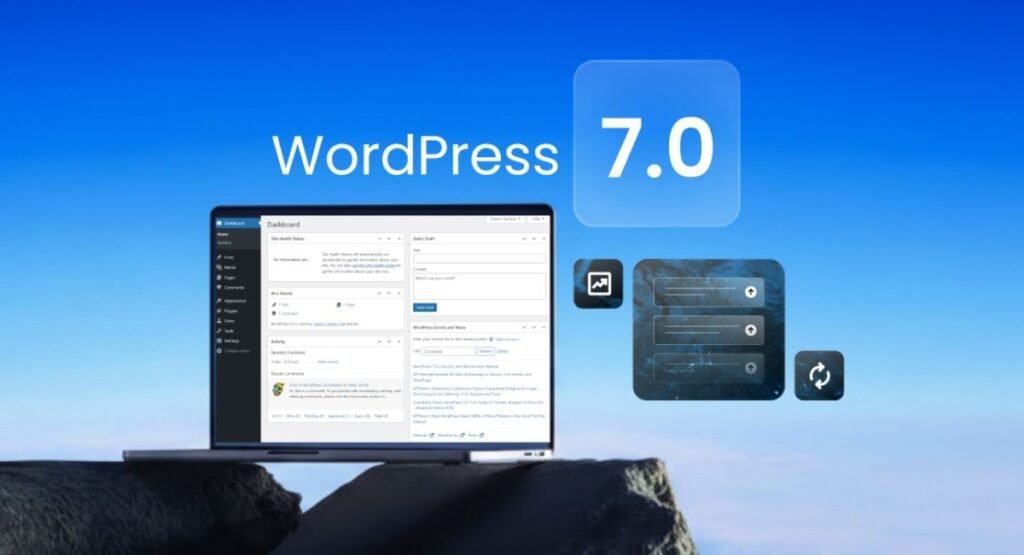
Before enabling WordPress 7.0 AI tools, create a proper WordPress staging environment. Never experiment directly on a live business website. Think of staging like a flight simulator. Pilots practice there before flying real passengers. Website owners should do the same before activating AI systems.
Next, complete a full WordPress backup before update. Save files, databases, images, themes, and plugin settings. Many site owners skip backups because everything “looks fine.” Then a plugin conflict wipes out the homepage within minutes. Smart preparation prevents expensive panic later.
Safe WordPress AI Setup for Beginners
Your WordPress AI setup starts inside Settings → Connectors. This area lets you configure providers like OpenAI, Claude, and Gemini safely. Strong API protection matters because leaked credentials can trigger huge billing charges overnight. Many professionals now use restricted API permissions alongside monthly limits.
You should also audit every plugin requesting AI access. Some low-quality plugins ask for broad permissions they don’t actually need. Following proper WordPress AI security best practices helps prevent destructive actions, prompt injection attacks, and hidden automation loops. Smart administrators review permissions like a bank manager reviewing loan approvals.
| Safety Step | Why It Matters |
| Create staging site | Prevents live errors |
| Backup files/database | Enables rollback |
| Test plugins first | Avoids compatibility issues |
| Limit API spending | Prevents surprise costs |
| Review permissions | Blocks unsafe AI actions |
Best AI Tools Inside WordPress 7.0 Compared: Which Ones Are Actually Worth Using?
The strongest part of the new release is flexibility. Users can choose between OpenAI, Claude, or Gemini without rewriting plugin settings. This improves WordPress AI integrations dramatically. Agencies especially love this because switching providers used to consume hours of development time.
The battle between OpenAI WordPress integration, Anthropic Claude WordPress, and Google Gemini WordPress depends on your goals. OpenAI works well for creativity and SEO writing. Claude handles long documents elegantly. Gemini integrates smoothly with Google services and visual workflows.
Best AI Tools for WordPress 2026
Many users searching for the best AI tools for WordPress 2026 focus only on writing. That’s a mistake. The best tools improve workflows, automate repetitive tasks, and reduce editing time. The new system supports AI-powered WordPress plugins, AI workflow automation, and advanced editorial pipelines.
The smartest website owners combine AI productivity tools for WordPress with human editing. For example, a WooCommerce store can use an AI product description generator while editors review tone and accuracy before publishing. This hybrid workflow saves time without sacrificing quality.
| Provider | Best For | Weakness |
| OpenAI | SEO content | Higher costs |
| Claude | Long-form analysis | Slower generation |
| Gemini | Google ecosystem | Smaller plugin support |
Free vs Paid AI Features in WordPress 7.0 — What Do You Really Get?
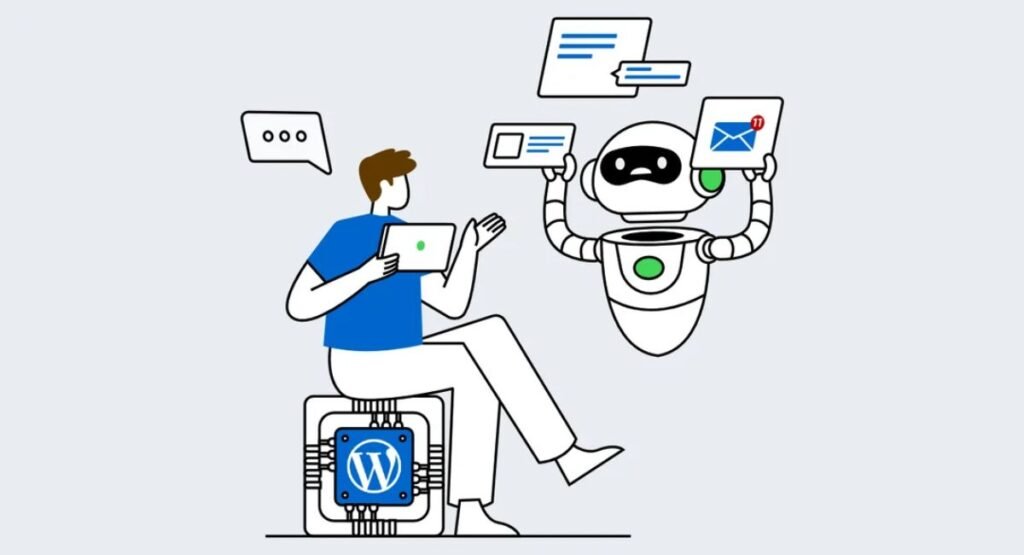
Many users searching for free vs paid AI tools WordPress assume WordPress now includes unlimited AI generation for free. That is not true. WordPress provides the infrastructure. You still pay AI providers for token usage, requests, and automation activity.
The real expense comes from scaling. Small blogs may spend only $10 monthly. Busy WooCommerce stores using AI-powered WooCommerce tools, summaries, support automation, and image generation can burn through hundreds quickly. That’s why AI token usage management matters more than ever.
Understanding WordPress AI Tools Pricing
The new WordPress AI tools pricing model feels different from traditional subscriptions. AI systems charge based on usage. Heavy automation creates larger bills. Poorly configured workflows can generate repeated requests endlessly like a leaking water pipe flooding a basement.
Site owners should configure strict AI API billing limits immediately. OpenAI and Anthropic both support spending caps and warning notifications. Proper AI API cost management protects small businesses from financial surprises while still enabling advanced AI features.
| Usage Type | Estimated Monthly Cost |
| Small Blog | $10–$25 |
| Medium Business Site | $50–$120 |
| WooCommerce Store | $150–$400 |
| Agency Automation | $500+ |
How to Use AI Content Generation Safely Without Hurting SEO Rankings
Modern search engines don’t hate AI content. They hate lazy content. That distinction changes everything. Safe AI content generation WordPress workflows focus on helpful information, editing quality, originality, and expertise instead of mass-producing robotic paragraphs.
Many beginners publish raw AI drafts instantly. That strategy often backfires. Thin content lacks emotion, clarity, and experience. Successful websites combine AI-generated blog posts with human editing, examples, screenshots, and personal insights. Readers still want content that feels alive rather than machine-assembled.
AI Content Optimization Strategies That Actually Work
The best websites use AI like a research assistant instead of a replacement writer. Strong AI content optimization includes fact-checking, tone editing, internal linking, and SEO refinement. Tools such as AI meta description generator systems and AI SEO plugins can speed up optimization without sacrificing authenticity.
Google also rewards usefulness. If your article solves problems better than competitors, rankings improve naturally. Smart publishers combine AI-powered blogging tools with expert editing. This creates cleaner workflows while preserving human trust and readability.
“AI should accelerate expertise, not imitate expertise.”
| Bad AI Practice | Better Alternative |
| Copy-paste AI drafts | Human editing |
| Keyword stuffing | Helpful explanations |
| Generic paragraphs | Real examples |
| Mass publishing | Quality-focused publishing |
The Biggest Security Risks in WordPress 7.0 AI Tools (And How to Avoid Them)

Security risks have evolved. Traditional WordPress attacks focused on malware, spam, and outdated plugins. The rise of AI plugin security risks introduces new dangers like automated execution abuse, hidden prompts, and workflow manipulation.
One major threat involves prompt injection. Attackers can insert malicious instructions inside comments, forms, or messages. Weak plugins may interpret those instructions incorrectly. Proper AI prompt injection protection reduces this risk significantly by validating input and restricting dangerous actions.
Why WordPress AI Safety Checklist Matters
Every serious website owner needs a proper WordPress AI safety checklist. Plugins connected to the WordPress Abilities API can modify content, update users, or trigger workflows automatically. That power becomes dangerous without strict controls.
Good developers classify actions as read-only, safe, or destructive. Responsible administrators also monitor logs and review automation behavior regularly. Following a strong WordPress AI deployment checklist prevents small issues from turning into catastrophic failures.
| Security Risk | Prevention |
| Prompt injection | Input filtering |
| API abuse | Spending caps |
| Unsafe permissions | Restricted access |
| Plugin conflicts | Staging tests |
| Infinite loops | Automation monitoring |
Best Use Cases for WordPress 7.0 AI Tools — From Blogging to eCommerce
The most exciting part of AI website automation involves workflow speed. Bloggers can generate outlines, summaries, and featured images quickly. Agencies can automate repetitive editing tasks. Ecommerce stores can create optimized product descriptions at scale.
Modern AI-driven content workflows also improve publishing consistency. Teams now use AI editorial workflows to generate drafts, review SEO suggestions, and organize approvals faster. This cuts production bottlenecks dramatically for growing businesses.
AI Tools for Ecommerce Automation and Content Teams
Large stores benefit heavily from AI tools for ecommerce automation. Imagine uploading 500 products manually. It would take weeks. AI can generate titles, summaries, alt text, and SEO descriptions automatically. Combined with human review, this creates scalable productivity.
Similarly, agencies use AI automation for agencies to streamline reporting, SEO audits, and content planning. Advanced AI orchestration system setups now coordinate multiple plugins through shared AI workflows.
| Use Case | Benefit |
| Blog writing | Faster publishing |
| Product descriptions | Saves hours |
| SEO optimization | Better visibility |
| Alt text generation | Accessibility |
| Customer support | Faster replies |
Pros & Cons of Using Built-in AI Tools in WordPress 7.0
The biggest strength of WordPress 7.0 AI tools is simplicity. Centralized settings reduce plugin chaos. Shared AI infrastructure improves compatibility and decreases maintenance work. Many users also report faster workflows thanks to AI-powered website management systems.
However, the platform still carries limitations. AI features require paid providers. Some plugins remain incompatible with DataViews. Beginners may also feel overwhelmed by permissions, automation settings, and token billing systems.
AI Plugin Pros and Cons You Should Know
The strongest AI plugin pros and cons discussion revolves around control versus convenience. Native AI tools simplify operations while reducing dependence on standalone plugins. Yet advanced workflows still require technical understanding and careful testing.
Businesses should also compare built-in AI vs third-party plugins carefully. Some external tools still offer deeper analytics, advanced prompts, and niche automation features unavailable inside WordPress core.
| Pros | Cons |
| Unified AI system | API costs |
| Faster workflows | Learning curve |
| Better compatibility | Plugin conflicts |
| Easier management | Security responsibility |
Common WordPress 7.0 AI Problems and How to Fix Them Fast
Many website owners panic after updates because AI features suddenly disappear or fail. Usually, the issue involves outdated plugins, weak hosting, or incompatible PHP versions. Following a reliable WordPress 7.0 upgrade guide solves most problems quickly.
Another frequent issue involves performance. Heavy AI workflow orchestration tasks can overload smaller servers. Cheap hosting plans struggle with multiple AI requests running simultaneously. Website owners using advanced AI automation should also test workflows regularly with AI-powered end-to-end testing systems to catch plugin conflicts, broken automations, and performance issues before they affect live users. Upgrading hosting often fixes slow dashboards and failed generation tasks instantly.
Quick AI Plugin Maintenance Guide
A smart AI plugin maintenance guide includes regular updates, log reviews, and provider monitoring. Site owners should inspect plugin permissions monthly and remove abandoned software immediately.
You should also monitor API activity carefully. Sudden spikes may signal broken automation or plugin abuse. Responsible administrators treat AI systems like active employees rather than invisible background tools.
| Problem | Fast Fix |
| Missing AI tools | Update plugins |
| Slow admin panel | Upgrade hosting |
| API errors | Check billing |
| Failed image generation | Review quotas |
| Broken workflows | Test staging site |
Best Alternatives to WordPress 7.0 Built-in AI Tools
Although native tools improved dramatically, many advanced users still prefer specialized platforms. Some external systems offer stronger analytics, automation depth, and team collaboration features than current WordPress AI tools.
Popular AI plugin alternatives include Jasper, Surfer SEO, Rank Math AI, and custom GPT workflows. These platforms often integrate deeper marketing intelligence and advanced optimization features.
AI SaaS Tools Comparison for Advanced Users
A proper AI SaaS tools comparison depends on workflow complexity. Small blogs usually benefit from WordPress-native systems. Large agencies may require external automation platforms with advanced orchestration, analytics, and multi-client support.
Professional marketers also compare AI tools with OpenAI integration, AI tools with Claude integration, and AI tools with Gemini integration before selecting long-term platforms. Compatibility and cost matter just as much as raw AI quality.
| Alternative | Best For |
| Jasper | Marketing teams |
| Surfer SEO | SEO optimization |
| Rank Math AI | WordPress SEO |
| ChatGPT Teams | Collaboration |
| Claude Projects | Research workflows |
Should You Upgrade to WordPress 7.0 for AI Features? Final Verdict for Beginners and Advanced Users
For most users, upgrading makes sense. The new WordPress AI assistant, centralized infrastructure, and automation features save time while improving productivity. The system also positions WordPress for the future of AI-powered websites and intelligent workflows.
Still, rushing blindly into updates is dangerous. Always test first. Follow strong security practices. Configure spending limits immediately. The websites succeeding with AI today are not the ones generating the most content. They are the ones building smarter systems with human oversight.
Final Thoughts on How to Use WordPress AI Tools Safely
If you manage blogs, agencies, or ecommerce stores, these tools can become powerful growth engines. However, successful adoption depends on strategy rather than hype. Strong AI tools for developers, editors, and marketers focus on quality workflows instead of shortcuts.
The future of AI infrastructure for websites will become more automated, connected, and intelligent every year. Website owners who learn how to use WordPress AI tools safely today will gain a huge advantage tomorrow.
FAQs
Which AI tool is best for WordPress?
The best AI tool depends on your goals. For content creation, OpenAI WordPress integration works extremely well because it produces fast and creative writing. For long-form research and editing, many users prefer Anthropic Claude WordPress tools. WooCommerce stores often benefit from AI-powered WooCommerce tools that automate product descriptions, SEO, and customer support. In 2026, the most popular choice for many businesses is the built-in WP AI Client because it connects multiple providers from one dashboard.
Why are people moving away from WordPress?
Some users move away from WordPress because modern website builders offer simpler drag-and-drop systems and managed hosting. Others dislike plugin conflicts, maintenance tasks, or rising complexity. However, WordPress still powers a huge portion of the internet because of its flexibility, strong SEO capabilities, and growing WordPress AI automation features. Instead of disappearing, WordPress is evolving into a smarter AI-powered platform.
Is WordPress outdated in 2026?
No, WordPress is not outdated in 2026. In fact, the arrival of WordPress 7.0 AI tools has modernized the platform significantly. Features like the WordPress Connectors API, DataViews WordPress, and AI-powered workflows make WordPress feel closer to advanced SaaS platforms. The system now supports smarter automation, AI-assisted publishing, and centralized AI management for businesses and creators.
Can I use AI with WordPress?
Yes, you can easily use AI with WordPress through native tools and third-party integrations. The latest Built-in AI tools for WordPress allow users to generate content, create images, optimize SEO, automate workflows, and improve editorial processes. Popular providers include OpenAI, Claude, and Gemini. Many website owners now use AI content generation WordPress tools daily to save time and improve productivity.
What is replacing WordPress?
Nothing is fully replacing WordPress right now. Platforms like Webflow, Framer, Shopify, and headless CMS systems are growing quickly, especially among startups and designers. However, WordPress remains dominant because it combines customization, scalability, SEO strength, and massive plugin support. The new WordPress AI infrastructure also helps the platform compete with newer AI-focused website builders and automation systems.

Welcome to Corexity! I’m Zain Bhatti, an AI-Powered SEO Strategist with 3 years of experience. I help you master the latest AI tools and rank higher with simplified, high-impact content strategies. Let’s grow together!