

The AI coding battlefield changed overnight after Cursor Composer 2.5 arrived. Developers across the USA now compare it directly with GPT-5.5 because this new model delivers fast coding, deep project awareness, and surprisingly low costs. Unlike traditional chatbots, this advanced AI coding assistant handles debugging, refactoring, and automation during complex workflows without constantly losing context.
Many engineers also believe it may become the future of vibe coding AI thanks to its natural coding style and autonomous behavior. In this detailed Cursor Composer 2.5 review, you’ll discover benchmark results, real-world use cases, pricing differences, hidden strengths, and whether it truly outperforms GPT-5.5 for modern software development workflows in 2026.
What Is Cursor Composer 2.5 and Why Developers Are Switching Fast
What Makes Cursor Composer 2.5 Different From Traditional AI Coding Tools
Unlike a normal chatbot, Cursor Composer 2.5 behaves more like a persistent engineer sitting beside you. It reads files, edits projects, runs tests, fixes errors, and keeps working through difficult coding sessions. That makes it far more useful than a simple autocomplete tool. Many developers now call it the future of AI-assisted software development.
What truly changed the market is its balance between speed and cost. Most premium models burn through tokens quickly. However, Cursor AI coding assistant workflows stay surprisingly affordable even during huge projects. Developers running startups love this because long sessions no longer feel financially painful. That alone pushed many teams toward this new AI code generation platform.
Why Developers Call It the Future of Vibe Coding
The phrase “vibe coding” exploded in 2026 because developers started building apps conversationally instead of manually crafting every line. Cursor Composer 2.5 excels at this style because it understands context deeply during tool-heavy sessions and complicated edits.
Instead of micromanaging every detail, you can describe the outcome naturally. The model then performs multi-file editing, debugging, testing, and architectural cleanup almost autonomously. That’s why many developers now rank it among the best AI tools for developers and the most advanced AI-powered IDE experiences available today.
| Feature | Cursor Composer 2.5 | Traditional AI Chatbot |
| Multi-file awareness | Yes | Limited |
| Terminal execution | Yes | Rare |
| Long project memory | Strong | Weak |
| Autonomous workflows | Advanced | Basic |
| IDE integration | Native | External |
Cursor Composer 2.5 vs GPT-5.5 — Which AI Coding Model Wins?
Coding Accuracy and Real Development Performance
The biggest discussion online right now involves the ongoing GPT-5.5 coding comparison debate. Based on public benchmarks, Cursor Composer 2.5 nearly matches GPT-5.5 in coding accuracy while costing dramatically less. That shocked the developer world because frontier models usually dominate smaller competitors.
The model scored impressively on SWE-Bench multilingual and CursorBench v3.1 tests. These evaluations measure how well AI handles real coding tasks instead of toy examples. During many long-running AI coding tasks, developers reported that Composer felt calmer, more focused, and less likely to wander off-topic.
Where GPT-5.5 Still Holds an Advantage
Although Cursor vs GPT-5.5 comparisons favor Composer in pricing, GPT-5.5 still wins several terminal-heavy tasks. Public AI coding benchmarks show stronger results during shell automation and command-line workflows. Developers working heavily inside Linux environments may still prefer OpenAI’s model for raw terminal reasoning.
However, most daily software work involves refactoring, debugging, APIs, UI cleanup, and feature building. In those areas, Cursor Composer 2.5 review discussions remain overwhelmingly positive. Many developers now consider it the best AI coding assistant for practical work instead of theoretical benchmarks.
| Benchmark | Cursor Composer 2.5 | GPT-5.5 |
| SWE-Bench Multilingual | 79.8% | ~80% |
| Terminal-Bench 2.0 | 69.3% | 82.7% |
| CursorBench v3.1 | 63.2% | ~63% |
| Cost Efficiency | Excellent | Expensive |
Source:
Cursor Official Blog
Latest Cursor Composer 2.5 Updates You Need to Know

Massive Training Improvements Changed Everything
One reason Cursor Composer 2.5 improved so rapidly comes from aggressive synthetic data training and advanced reinforcement learning methods. Cursor engineers reportedly trained the model using 25 times more synthetic tasks compared to older versions.
This training style helps the model survive difficult long-horizon tasks without collapsing halfway through. For a deeper look at how AI systems and detection methods evolve, you can also explore AI detection and content authenticity concepts in detail. Older coding models often became confused during large projects. Composer 2.5 handles these workflows more smoothly because its effort calibration system adjusts thinking depth depending on task complexity.
Faster Responses and Lower AI Inference Costs
Developers also noticed a dramatic reduction in AI inference costs. This matters because large coding sessions can easily consume millions of tokens weekly. Cursor solved this issue through smarter routing and cheaper infrastructure based on the Kimi K2.5 model foundation.
That combination created one of the cheapest premium AI coding SaaS platform options currently available. Even enterprise teams now explore Composer because the economics finally make sense for large-scale AI engineering automation workflows.
Best AI Tools for Vibe Coding in 2026 (Beyond Cursor and GPT-5.5)
Why the AI Coding Market Became Hyper Competitive
The race for the best AI coding productivity tools became intense in 2026. Every company now wants dominance in the rapidly growing AI coding ecosystem. Besides Cursor Composer 2.5, developers constantly compare Claude Opus 4.7, GitHub Copilot, Replit AI, and Devin.
The interesting shift is that developers no longer choose one model permanently. Instead, modern teams build flexible developer AI stack systems that route tasks dynamically between different models depending on workload and cost.
Which AI Tool Fits Different Developer Types
For startups and freelancers, Composer currently offers the strongest balance between pricing and productivity. Meanwhile enterprise teams often combine multiple tools for redundancy and advanced reasoning. This hybrid approach improves overall AI workflow optimization.
| AI Tool | Best For | Weakness |
| Cursor Composer 2.5 | Refactoring and IDE workflows | Terminal tasks |
| GPT-5.5 | Shell automation | Expensive |
| Claude Opus 4.7 | Deep reasoning | Slow responses |
| GitHub Copilot | Beginners | Limited autonomy |
The ongoing Claude Opus 4.7 comparison discussions show that no single model dominates every category yet. That keeps the AI coding framework market exciting.
Cursor Composer 2.5 Features That Make Developers Addicted
Multi-File Refactoring Feels Almost Magical
One standout feature involves multi-file AI refactoring. Instead of editing one file at a time, Composer can update huge codebases simultaneously while maintaining architectural consistency. That capability dramatically improves AI developer productivity.
Developers migrating frameworks especially love this feature. Many teams now use Composer as an AI code migration tool because it can modernize APIs, rename services, and restructure outdated applications much faster than manual engineers.
Autonomous Debugging and AI Terminal Commands
Another reason developers praise Cursor Composer 2.5 review articles involves its excellent debugging behavior. The system acts like a real AI debugging assistant during broken builds or failing tests.
It runs diagnostics, explores logs, suggests fixes, and performs AI terminal commands automatically. This creates a smoother AI IDE workflow than older copilots that only generate snippets without understanding project state.
Free vs Paid — Is Cursor Composer 2.5 Worth Paying For?
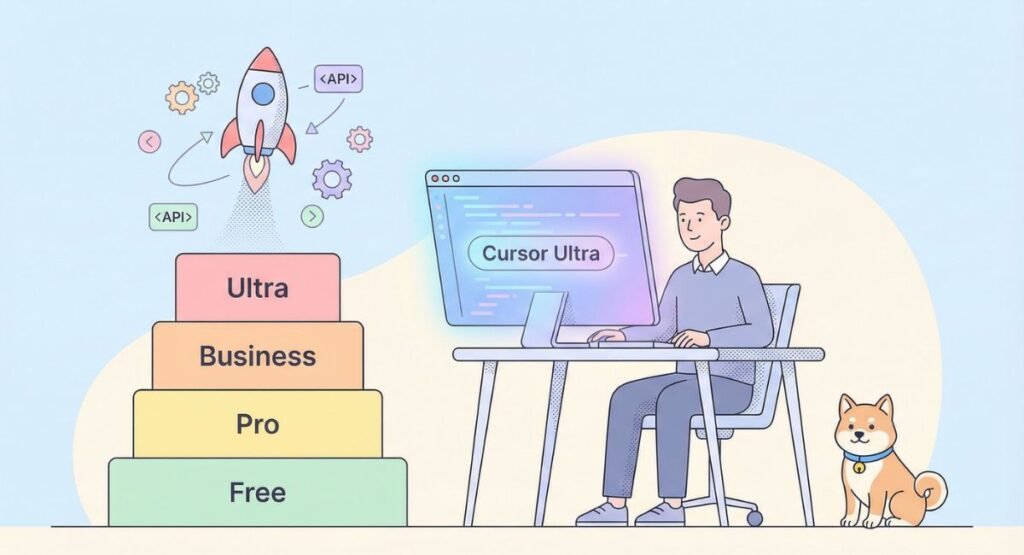
Cursor AI Pricing Explained Simply
Many developers first try the free version before upgrading. However, serious workflows quickly hit usage limits. The paid tiers unlock faster performance and improved concurrency for production-ready AI agents.
The pricing structure currently looks attractive compared to competitors. That’s why many developers searching for cheap AI coding models now consider Cursor a better value than premium OpenAI subscriptions.
| Plan | Input Cost | Output Cost |
| Standard | $0.50/M tokens | $2.50/M |
| Fast | $3.00/M tokens | $15.00/M |
Is the Paid Version Actually Worth It?
For casual hobby projects, free access works fine. However, developers building SaaS platforms or startup products benefit heavily from premium access because faster responses improve momentum during coding sessions.
Teams performing advanced AI DevOps automation or AI coding for SaaS development especially gain massive value from the paid plans. In many cases the saved engineering hours outweigh subscription costs within days.
Real Use Cases — What Can You Actually Build With Composer 2.5?
SaaS Development and Full-Stack Projects
Many startups now use Cursor Composer 2.5 for rapid MVP development. Founders describe app ideas conversationally while the model builds APIs, dashboards, authentication systems, and frontend logic simultaneously.
This workflow transformed modern full-stack AI development. Small teams can now ship products at speeds previously impossible without large engineering departments.
Real Developer Workflow Automation
Beyond app development, Composer also handles infrastructure work effectively. Developers increasingly deploy it as a cloud AI coding agent for automation tasks like CI debugging, code cleanup, and deployment preparation.
This shift pushes coding toward true AI programming workflows where humans supervise strategy while autonomous systems handle repetitive engineering labor.
Pros and Cons of Cursor Composer 2.5 After Real Testing
The Biggest Strengths Developers Love
The strongest advantage involves workflow fluidity. Composer feels more natural during large projects than many older coding copilots. Developers especially praise its memory retention and calm reasoning during AI code execution tasks.
Another major strength involves affordability. Compared to premium competitors, Cursor dramatically lowers operational costs for large teams using enterprise AI coding tools.
Important Weaknesses You Should Know
Despite impressive performance, Composer still struggles with some shell-heavy engineering workflows. Public Terminal-Bench 2.0 results clearly show GPT-5.5 remains stronger in pure terminal execution.
Some developers also worry about model lineage because the system builds on the Kimi K2.5 base architecture. Companies with strict compliance rules may investigate this carefully before adopting the platform widely.
Beginner vs Advanced Developer Experience — Who Benefits More?

Why Beginners Learn Faster With Cursor AI
New programmers often struggle with setup problems, debugging confusion, and architecture decisions. Composer simplifies these pain points dramatically through conversational explanations and intelligent corrections.
That’s why many educators now recommend it as an AI coding tool for beginners and one of the best modern AI pair programming tool experiences available today.
Advanced Teams Unlock Much Bigger Potential
Senior engineers benefit differently. They use Composer for automation pipelines, infrastructure upgrades, and large-scale codebase automation AI tasks. These advanced users often combine Composer with internal systems for powerful advanced AI engineering workflows.
The integration possibilities also expand through the Cursor SDK tutorial ecosystem. Developers can create custom agents tailored for unique workflows and internal tools.
Final Verdict — Should You Replace GPT-5.5 With Cursor Composer 2.5?
The Real Winner Depends on Your Workflow
If your work focuses heavily on command-line operations and shell scripting, GPT-5.5 still offers stronger raw terminal intelligence. However, most developers spend more time building products than managing terminals.
For practical development, Cursor Composer 2.5 currently delivers one of the best balances between intelligence, speed, automation, and affordability. That’s why it dominates many 2026 discussions around the best GPT-5.5 alternatives.
Is Cursor Composer 2.5 the Future of Vibe Coding?
Right now the answer looks surprisingly close to yes. The combination of affordable pricing, autonomous workflows, and deep IDE integration gives Cursor enormous momentum in the rapidly evolving AI coding infrastructure market.
Developers no longer want passive autocomplete. They want active collaborators. That shift explains why Cursor Composer 2.5 review searches exploded recently across the USA developer community. The era of simple code suggestions is ending. The era of intelligent engineering companions has already started.
FAQs
Is Composer 2 good for coding?
Yes, Composer 2 is still good for coding, especially for small projects and daily development work. However, Cursor Composer 2.5 performs far better in long sessions, debugging, and multi-file workflows. It handles complex refactoring with improved accuracy and fewer hallucinations. Many developers now prefer it for modern AI-assisted software development because it feels more stable during large coding tasks.
Is Cursor Composer better than Claude?
It depends on your workflow. Cursor Composer 2.5 is stronger for IDE integration, automation, and autonomous coding tasks. Meanwhile, Claude Opus 4.7 often performs better during deep architectural reasoning and very large context analysis. Developers working inside Cursor usually prefer Composer because it integrates naturally with coding environments and supports faster AI workflow automation.
What is the ranking of Cursor Composer 2?
Based on recent public AI coding benchmarks, Composer 2.5 ranks among the top AI coding models in 2026. It scored around 79.8% on SWE-Bench multilingual and 63.2% on CursorBench v3.1, placing it close to GPT-5.5 and Claude Opus 4.7. Many developers now rank it among the best AI coding assistant platforms for productivity and affordability.
Is Cursor Composer 1 any good?
Cursor Composer 1 introduced the idea of agentic coding inside the Cursor IDE. It worked well for simple coding help and autocomplete tasks. However, newer versions dramatically improved reasoning, memory, and debugging abilities. Compared to Composer 2.5, the original version now feels limited during advanced development workflows and large-scale AI code generation platform tasks.
Is Cursor Composer cheaper?
Yes, Cursor Composer is significantly cheaper than many premium AI coding models. Its standard pricing tier costs much less than GPT-5.5 and Claude Opus 4.7 during large coding sessions. This lower cost makes it attractive for startups, freelancers, and teams running heavy AI developer productivity workflows every day.

Welcome to Corexity! I’m Zain Bhatti, an AI-Powered SEO Strategist with 3 years of experience. I help you master the latest AI tools and rank higher with simplified, high-impact content strategies. Let’s grow together!