

Introduction
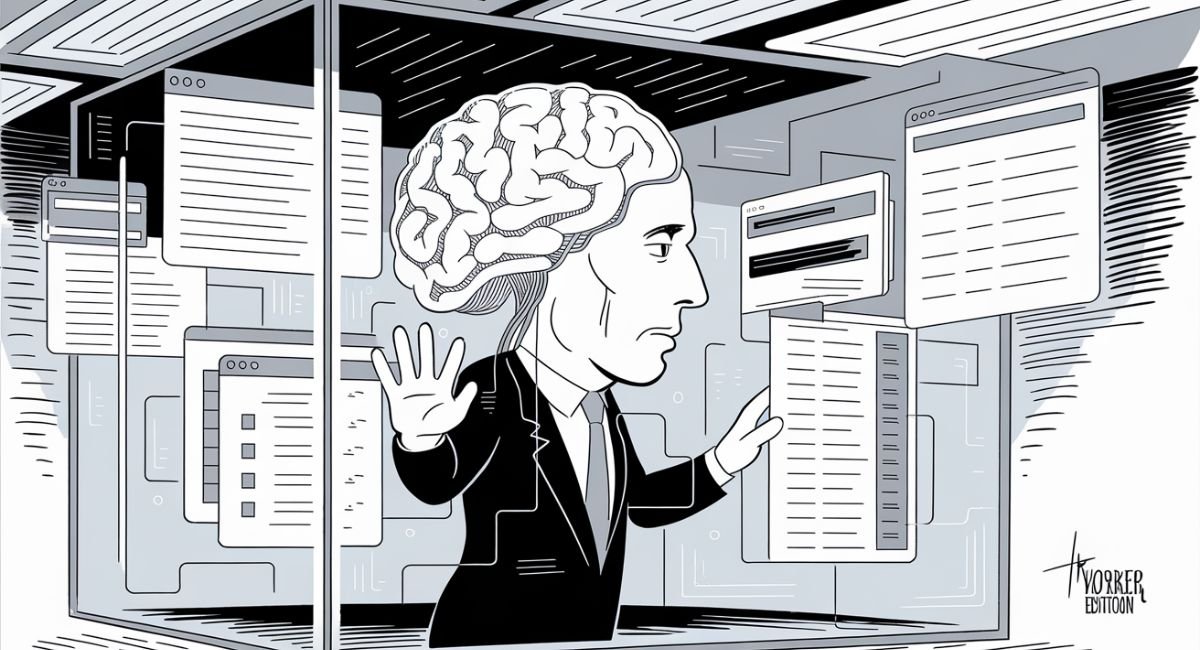
Artificial intelligence is becoming more powerful every year, yet most AI systems still struggle with one major limitation: memory. They can generate impressive answers, but they often lack access to your personal data, past research, and business knowledge. That is where building a AI Second Brain becomes valuable.
By connecting a Local Knowledge Base to modern LLM agents, you can create a smarter system that remembers, retrieves, and applies information when needed. This approach combines AI Knowledge Management, Long-Term Memory for AI Agents, and Semantic Search to deliver more accurate and context-aware responses. As a result, businesses and individuals can improve productivity, reduce information overload, and make better decisions.
What Is an AI Second Brain—and Why Every LLM Agent Needs One in 2026?
An AI Second Brain is a digital environment that captures, organizes, and retrieves information using artificial intelligence. Unlike traditional note-taking apps, it actively processes knowledge. It summarizes documents, links related ideas, identifies patterns, and supports decision-making. Many professionals now use a Personal Knowledge Base or Digital Second Brain to prevent valuable information from disappearing into folders, emails, and browser tabs.
The real power appears when you connect this knowledge to AI agents and LLM agents. Instead of generating generic answers, the AI uses your documents, research, notes, and internal data. This creates Context-Aware AI capable of delivering personalized responses. As organizations adopt Enterprise Knowledge Management systems, memory-enabled AI is becoming a competitive advantage rather than an optional feature.
AI Second Brain vs Traditional Knowledge Management
Traditional systems store information. An AI-Powered Knowledge Base understands information. A conventional Knowledge Management System requires users to manually search for answers. Modern AI systems use Semantic Search, AI Information Retrieval, and intelligent context matching to surface relevant knowledge automatically.
For example, imagine searching thousands of project notes. A traditional search tool may only find exact keywords. An AI-driven Knowledge Retrieval System understands meaning, intent, and relationships. This dramatically improves accuracy and saves time for teams handling large volumes of information.
What Is the Technology Stack Behind an AI Second Brain?

Every successful AI memory solution consists of several connected components. At the foundation sits a Local Knowledge Base where information is stored. This may include notes, PDFs, emails, meeting transcripts, research documents, customer records, and internal documentation. Together, these assets form an AI Knowledge Repository that serves as the system’s memory.
Above the storage layer sits an intelligence layer powered by Retrieval-Augmented Generation, semantic retrieval, and vector search. These technologies allow AI to locate relevant information before generating responses. Instead of guessing, the model retrieves facts from a trusted source. This approach reduces hallucinations and improves reliability.
Core Components of an AI Memory Architecture
| Component | Purpose |
| Knowledge Base | Stores information |
| Vector Database | Stores embeddings |
| Retrieval Engine | Finds relevant context |
| LLM Agent | Generates responses |
| Automation Layer | Processes incoming data |
| User Interface | Enables interaction |
A modern AI memory architecture often includes a Vector Database such as Pinecone, Weaviate, ChromaDB, or Supabase pgvector. These platforms store vector embeddings, making it possible to find information based on meaning rather than keywords alone.
Why Vector Databases Matter
Imagine searching for information about customer satisfaction. Traditional systems might miss documents containing terms like “user happiness” or “client experience.” A vector-based system understands the relationship between concepts. This capability powers intelligent search, document retrieval, and advanced knowledge discovery across large collections of information.
Best AI Tools for Building a Local AI Second Brain (Compared)
The market for best AI second brain tools has grown rapidly. Several platforms now help users create intelligent knowledge systems without extensive coding. Some focus on note-taking while others specialize in retrieval, automation, or AI orchestration.
The right choice depends on your goals. Writers may prioritize note organization. Developers may focus on memory infrastructure. Enterprises often require security, governance, and scalability. Understanding these differences helps you select the best platform for your needs.
Comparison of Leading AI Second Brain Tools
| Tool | Best For | Strength |
| Notion AI | General users | Easy knowledge management |
| Obsidian | Local-first users | Deep note linking |
| Airtable | Structured data | Database flexibility |
| Pinecone | Developers | Managed vector storage |
| Weaviate | Advanced AI apps | Scalable retrieval |
| LangChain | AI development | Agent orchestration |
| LlamaIndex | RAG systems | Data connectivity |
| MindStudio | Automation | No-code AI workflows |
Notion AI
Many beginners start with Notion AI because it combines notes, databases, collaboration, and AI features in one environment. It functions as both a Personal Productivity System and a lightweight AI Note-Taking System. Organizations also use it as an Internal Knowledge Base for documentation and collaboration.
Obsidian
For users who prioritize ownership and privacy, Obsidian remains a popular option. It supports Local-First AI workflows and creates a network of connected notes. This approach encourages deeper thinking and stronger knowledge relationships. Many users view it as a foundation for a Private AI Knowledge Base.
MindStudio
MindStudio focuses on automation and AI deployment. Instead of manually connecting services, users can build AI Automation Workflows, deploy agents, and create custom applications. This makes it attractive for businesses seeking workflow automation, business process automation, and AI-powered workflows without extensive development resources.
Key Features to Look for in an AI Second Brain System
Choosing software without understanding the core features often leads to frustration. The best systems focus on knowledge capture, retrieval, automation, and memory persistence. These capabilities work together to create a reliable AI-powered environment that improves over time.
A modern AI memory platform should support AI Document Processing, Automated Note Organization, AI Content Organization, and Intelligent Information Management. Without these capabilities, information quickly becomes difficult to manage.
Essential Features Comparison
| Feature | Why It Matters |
| Semantic Search | Finds information by meaning |
| AI Summarization | Reduces reading time |
| Automatic Tagging | Improves organization |
| Meeting Transcription | Captures discussions |
| Voice Note Transcription | Preserves ideas instantly |
| Metadata Extraction | Adds structure to content |
| Knowledge Retrieval Automation | Delivers answers quickly |
| AI Chatbot Interface | Enables natural interaction |
Smart Knowledge Capture
Knowledge enters the system through a Knowledge Capture Workflow. This process may involve browser clipping, emails, uploaded documents, recorded meetings, or voice notes. Tools such as Readwise, Readwise Reader, Omnivore, Otter.ai, Fireflies.ai, Fathom, and OpenAI Whisper help automate content collection and processing. You can also explore a detailed comparison of transcription and note-taking tools in this guide on the best Otter AI alternatives in 2026.
Once content enters the system, AI document ingestion, document summarization, automated tagging, and AI content classification transform raw information into structured knowledge. This creates a highly organized searchable knowledge base that remains useful long after the original information was collected.
How Local Knowledge Bases Transform LLM Agents into Context-Aware Assistants
Without memory, AI behaves like a talented consultant meeting you for the first time every day. With a Local Knowledge Base, the AI gains context from previous interactions, projects, and documents. This evolution creates a truly AI assistant with memory capable of supporting long-term work.
Organizations increasingly rely on personalized AI because generic responses rarely solve complex business challenges. By integrating memory and retrieval capabilities, companies create systems that understand internal terminology, company processes, customer history, and project requirements.
From Chatbot to Context-Aware AI
The transformation occurs through Retrieval-Augmented Generation. When a user asks a question, the system performs contextual retrieval through a retrieval pipeline. Relevant information is collected and provided to the language model before a response is generated.
This process allows the AI to function as an AI Research Assistant, Personal AI Assistant, and enterprise knowledge expert simultaneously. Instead of relying on public training data, the system uses trusted internal information. As a result, users receive more accurate recommendations, faster answers, and stronger decision support.
Real Example
A software company stores technical documentation, support tickets, and project records inside a Self-Hosted AI Knowledge Base. Through RAG architecture and AI orchestration, employees can ask questions in natural language. The system instantly searches the organization’s knowledge and returns detailed answers. What once required hours of manual searching now takes seconds.
“The value of AI isn’t just intelligence. The value comes from memory, context, and access to trusted knowledge.”
This principle is driving the next generation of AI Knowledge Management systems and shaping the future of intelligent work.
Step-by-Step Architecture: Connecting Your Knowledge Base to an LLM Agent
Building an effective AI Second Brain starts with a clear architecture. Think of it as constructing a smart library where every document, note, email, and meeting transcript can be found instantly. The process begins by gathering information from different sources and storing it in a central AI Knowledge Base. This foundation becomes the memory layer that powers intelligent responses and decision-making.
The architecture does not need to be complicated. In fact, the best systems focus on simplicity, reliability, and scalability. When designed correctly, the combination of AI agents, retrieval systems, and storage infrastructure creates a self-improving knowledge ecosystem that grows more valuable over time.
Step 1: Define Knowledge Sources
Every successful system starts with data collection. Your information may come from emails, documents, CRM systems, meeting recordings, project management tools, customer support tickets, and internal wikis. These assets become part of your AI-Powered Knowledge Base and support future AI Information Retrieval operations.
Many organizations also connect collaboration tools such as Slack and cloud storage platforms. This creates a centralized Digital Knowledge Vault where information remains accessible regardless of its original location.
Step 2: Process and Structure Information
Raw content is often messy. Therefore, the next stage focuses on cleaning and organizing data. Modern systems use AI summarization, document summarization, metadata extraction, and AI content classification to convert unstructured content into useful knowledge.
At this stage, organizations frequently implement smart knowledge organization strategies. Documents receive categories, tags, timestamps, and relationships that improve future retrieval accuracy.
Step 3: Generate Embeddings and Store Knowledge
After processing, the system performs embeddings generation. These mathematical representations allow AI to understand meaning instead of simply matching keywords. The generated vectors are stored inside a Vector Database such as Pinecone, Weaviate, ChromaDB, or Supabase pgvector.
This approach creates a powerful knowledge retrieval engine that supports semantic retrieval, vector search, and intelligent matching. Users can ask natural questions without needing exact phrases.
Step 4: Build the Retrieval Layer
The retrieval layer acts as the bridge between stored knowledge and AI responses. When a question arrives, the system activates a retrieval pipeline that searches for relevant information using semantic similarity rather than traditional keyword matching.
This process forms the foundation of Retrieval-Augmented Generation. A well-designed RAG pipeline dramatically improves response quality because the AI works with verified information instead of relying solely on training data.
AI Second Brain Architecture Table
| Layer | Function |
| Data Sources | Collect information |
| Processing Layer | Clean and organize content |
| Embedding Layer | Generate vectors |
| Vector Database | Store embeddings |
| Retrieval Engine | Find relevant context |
| LLM Layer | Generate answers |
| User Interface | Deliver responses |
Step 5: Connect the LLM Agent
Once retrieval works correctly, organizations connect LLM agents through frameworks such as LangChain and LlamaIndex. These tools support advanced AI orchestration, making it easier to coordinate memory, retrieval, reasoning, and external tools.
The result is a memory-enabled AI system capable of understanding historical context. Instead of acting like a simple chatbot, it becomes an intelligent assistant that remembers relevant information.
Latest AI Updates: New Technologies Powering AI Memory Systems
The AI memory landscape is evolving rapidly. Just a few years ago, most systems relied on simple keyword searches and static databases. Today, innovations in retrieval and reasoning are transforming how organizations build intelligent systems.
One of the most important developments is the rise of agentic workflows. Instead of completing a single task, modern AI can perform sequences of actions, gather information, evaluate results, and continue working autonomously. This capability is changing how companies approach knowledge management.
Agentic RAG Systems
Traditional retrieval systems fetch information and return results. Newer systems combine retrieval with reasoning. Through advanced RAG architecture, AI can determine which documents matter most and continuously refine responses.
These systems support autonomous AI agents that perform research, summarize findings, and generate actionable recommendations. The combination of retrieval and reasoning significantly improves performance across business workflows.
Hybrid Search and Knowledge Graphs
Another major innovation involves hybrid search. Instead of relying on a single retrieval method, modern platforms combine keyword matching, semantic similarity, and contextual analysis. This creates stronger results across large datasets.
Many organizations also integrate a Knowledge Graph to visualize relationships between people, documents, projects, and concepts. Combined with knowledge graph visualization, users gain a deeper understanding of how information connects across the organization.
Multi-Agent Collaboration
The future of AI increasingly involves multi-agent systems. Rather than using one assistant, organizations deploy specialized agents for research, operations, customer support, and documentation.
These agents communicate through shared memory layers and coordinate actions through advanced AI orchestration. This approach improves efficiency and creates more sophisticated automation capabilities.
Free vs Paid AI Second Brain Tools: Which Option Delivers Better Value?
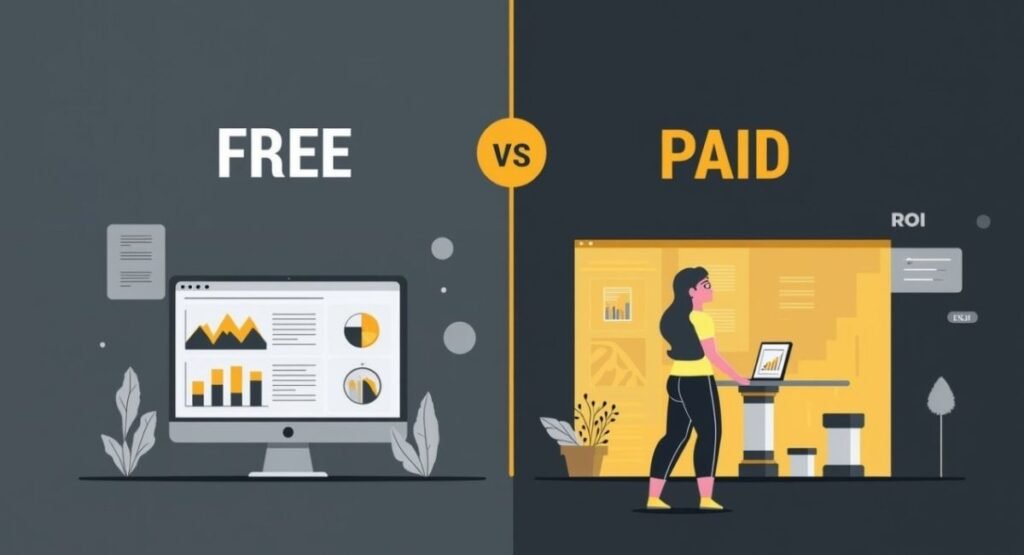
Many users begin their journey by exploring free vs paid AI tools. Both options offer advantages. However, the right choice depends on technical skills, budget, and long-term goals.
Free platforms often provide enough functionality for personal projects and experimentation. Paid solutions usually deliver better scalability, support, automation, and security features. Understanding these differences prevents costly mistakes later.
Free AI Second Brain Tools
Open-source platforms appeal to users who prioritize flexibility and control. Solutions built with Obsidian, PostgreSQL, ChromaDB, and self-hosted frameworks allow complete ownership of data.
These environments support a Self-Hosted AI Knowledge Base and often appeal to privacy-conscious users seeking best local AI tools for privacy. The trade-off is increased setup complexity and maintenance responsibility.
Paid AI Platforms
Commercial platforms simplify deployment and management. Tools such as Notion AI, MindStudio, managed vector databases, and enterprise knowledge solutions reduce technical barriers.
Businesses often choose these platforms because they provide built-in security, collaboration features, integrations, and automation. This makes them attractive options for teams pursuing AI-powered productivity and large-scale deployment.
Free vs Paid Comparison Table
| Category | Free Tools | Paid Tools |
| Cost | Low | Higher |
| Setup | Complex | Easy |
| Support | Community | Professional |
| Scalability | Moderate | High |
| Security Features | Limited | Advanced |
| Enterprise Readiness | Moderate | Strong |
Understanding AI Knowledge Base Pricing
When evaluating AI knowledge base pricing, many users focus only on software subscriptions. However, storage costs, API fees, infrastructure expenses, and maintenance requirements also affect total ownership costs.
Organizations should evaluate the complete picture before selecting a platform. The cheapest option today may become expensive as data volume grows.
Real-World Use Cases: How Professionals Are Using AI Second Brains Today
The concept of a Digital Second Brain is no longer experimental. Professionals across industries already use AI memory systems to improve efficiency, reduce repetitive work, and make better decisions.
The most successful implementations focus on solving specific business problems rather than adopting AI simply because it is popular. Practical applications consistently deliver the strongest return on investment.
AI for Content Creators
Content teams use AI for content creators to organize research, articles, interviews, and competitive analysis. An intelligent memory system stores valuable insights and surfaces them when needed.
Instead of repeating research for every project, writers can access a searchable repository that accelerates content production and improves consistency.
AI for Researchers
Researchers process enormous volumes of information. An AI Learning System helps organize papers, reports, notes, and findings into a structured environment.
Using AI for research workflows, professionals can identify patterns, summarize studies, and accelerate knowledge synthesis. This dramatically reduces time spent searching for information.
AI for Developers
Development teams use AI memory systems to store documentation, code explanations, architecture decisions, and troubleshooting guides. This creates a reliable source of institutional knowledge.
Through AI for developers, organizations improve onboarding, reduce duplicated effort, and strengthen collaboration across technical teams.
AI for Businesses and Startups
Growing companies rely on AI for startups, AI for project management, and AI for onboarding to streamline operations. New employees gain instant access to organizational knowledge while managers benefit from faster information retrieval.
This approach supports Team Knowledge Sharing and creates a scalable foundation for future growth.
Mini Case Study
A SaaS company with 120 employees struggled to locate documentation across multiple systems. After implementing an AI search system connected to its internal knowledge sources, support response times dropped by 35 percent. Employee onboarding also improved because new team members could access accurate answers immediately through an AI chatbot interface.
Pricing Breakdown: What Does It Cost to Build an AI Second Brain?
Cost remains one of the most common questions among businesses considering AI memory solutions. The answer varies significantly depending on complexity, scale, and infrastructure choices.
A simple personal system may cost very little. An enterprise-grade platform supporting thousands of users requires a larger investment. Understanding the major cost categories helps organizations plan effectively.
Typical Cost Ranges
| Setup Type | Estimated Monthly Cost |
| Personal System | $10–$50 |
| Professional Setup | $50–$300 |
| Team Deployment | $300–$2,000 |
| Enterprise Platform | $2,000+ |
Infrastructure Costs
Storage, APIs, vector databases, and processing pipelines all contribute to operating expenses. Organizations implementing AI Automation Workflows should also consider monitoring, security, and maintenance costs.
The good news is that modern cloud platforms allow gradual scaling. Teams can begin with small deployments and expand as usage grows.
Cost Optimization Strategies
Organizations can reduce costs through efficient workflow automation, selective document storage, optimized retrieval processes, and intelligent caching strategies. Many businesses also leverage no-code AI automation and an AI workflow builder to minimize development expenses.
A carefully planned architecture balances performance and affordability. In many cases, the productivity gains from improved knowledge access outweigh the ongoing operational costs by a substantial margin.
Pros & Cons of Integrating Local Knowledge Bases with LLM Agents
Integrating a Local Knowledge Base with LLM agents can completely change how people work with information. Instead of searching through dozens of folders, emails, and applications, users can access knowledge through natural conversations. This approach improves productivity, reduces information overload, and creates a stronger foundation for decision-making. Many organizations now view an AI Memory Layer as a critical business asset rather than a technical luxury.
Another advantage is ownership and privacy. A Private AI Knowledge Base gives organizations more control over sensitive information while supporting advanced AI Knowledge Management. However, these systems are not perfect. Building and maintaining an effective memory architecture requires planning, monitoring, and continuous improvement. Poor implementation can create unnecessary complexity and additional costs.
Pros and Cons Comparison
| Pros | Cons |
| Better information access | Initial setup complexity |
| Faster decision-making | Maintenance requirements |
| Reduced knowledge loss | Infrastructure costs |
| Improved team collaboration | Data quality challenges |
| Enhanced personalization | Learning curve |
| Stronger security control | Ongoing optimization |
Why Businesses Adopt AI Memory Systems
Organizations increasingly rely on Context-Aware AI because traditional search systems often fail to provide complete answers. By combining AI agents, retrieval technologies, and organizational knowledge, businesses create more accurate and useful systems.
The benefits become even greater when companies implement Enterprise Knowledge Management strategies. Teams spend less time searching and more time creating value. This shift often leads to measurable productivity improvements across departments.
Common Mistakes That Make AI Second Brains Slow, Expensive, or Ineffective
Many projects fail because organizations focus on technology before strategy. Building an advanced platform without understanding the actual use case often results in wasted resources. The most successful systems begin with a clear objective and a practical implementation plan.
Another common issue involves collecting too much information. Some teams believe more data automatically creates a better system. In reality, poor-quality content reduces retrieval accuracy and makes knowledge management more difficult. A focused approach often delivers stronger results.
Common Mistakes and Their Impact
| Mistake | Impact |
| Capturing everything | Information overload |
| Poor document chunking | Weak retrieval quality |
| Weak metadata | Inaccurate search results |
| Ignoring user needs | Low adoption rates |
| Choosing the wrong database | Higher costs |
| Lack of maintenance | Declining performance |
Retrieval Problems
A poorly designed RAG pipeline can significantly reduce answer quality. If retrieval fails, even the most advanced language model cannot provide reliable results. This is why successful systems prioritize retrieval quality before adding advanced features.
Organizations should also avoid changing tools too frequently. Constant migration creates disruption and prevents users from building trust in the system. Long-term consistency often produces better outcomes than chasing every new trend.
Best Alternatives to Building Your Own AI Second Brain

Not every organization needs to build a custom solution. Many businesses achieve excellent results using existing platforms that already include memory, retrieval, automation, and collaboration features. These solutions reduce development effort while providing faster deployment.
For teams with limited technical resources, managed platforms can be a practical alternative. They often include built-in integrations, security controls, and support services that simplify implementation.
AI Second Brain Alternatives Comparison
| Solution Type | Best For |
| Notion AI | General productivity |
| MindStudio | Workflow automation |
| Enterprise knowledge platforms | Large organizations |
| AI workspace tools | Collaborative teams |
| Managed RAG services | Developers |
| SaaS knowledge platforms | Small businesses |
When Buying Is Better Than Building
Organizations should consider purchasing a solution when speed, support, and simplicity are top priorities. Managed services often eliminate infrastructure management and reduce operational complexity.
This approach is particularly useful for businesses evaluating AI knowledge base alternatives, AI automation platform alternatives, and enterprise AI knowledge management software. In many cases, buying accelerates results and lowers long-term risk.
The Future of AI Memory: Will AI Agents Replace Traditional Knowledge Management Systems?
The future of AI memory is moving beyond simple retrieval. New systems are becoming more proactive, adaptive, and autonomous. Instead of waiting for questions, AI will increasingly anticipate needs and surface relevant information automatically.
This evolution is driving the growth of autonomous AI agents, advanced memory frameworks, and self-improving knowledge systems. Organizations that adopt these technologies early may gain a significant competitive advantage.
Emerging Trends
Modern AI platforms are experimenting with agent memory, self-updating repositories, and intelligent reasoning layers. These innovations help AI understand context across longer timeframes and more complex workflows.
Future systems will also rely heavily on multi-agent systems. Specialized agents will collaborate through shared memory environments and coordinate activities across departments. This will create a more intelligent and connected workplace.
What the Next Five Years May Look Like
Businesses will likely move toward create a self-improving AI knowledge system strategies where knowledge continuously evolves through automation. AI will become more integrated into daily work and less dependent on manual organization.
As these technologies mature, the distinction between software, search engines, and digital assistants may disappear. AI will become the primary interface for accessing organizational knowledge.
AI Second Brain Tools Comparison Table
| Category | Recommended Solution |
| Beginners | Notion AI |
| Privacy-Focused Users | Obsidian |
| Developers | LangChain + LlamaIndex |
| Vector Storage | Pinecone or Weaviate |
| No-Code Automation | MindStudio |
| Enterprise Teams | Managed Knowledge Platforms |
| Local Deployments | PostgreSQL + Supabase pgvector |
Final Verdict: Is Building an AI Second Brain Worth It?
For most professionals and organizations, the answer is yes. The volume of information created every day continues to increase. Without a structured memory system, valuable knowledge becomes difficult to find and easy to lose. A well-designed AI Second Brain transforms scattered information into a strategic asset.
The most successful implementations focus on solving real problems rather than chasing trends. Whether you want to build a personal AI knowledge base, create an AI memory system, or build enterprise AI knowledge management systems, the key is starting with a clear purpose and a scalable architecture.
Who Should Build an AI Second Brain?
Organizations that manage large volumes of information often benefit the most. Research teams, software companies, agencies, consultants, and growing startups frequently see strong returns from AI-powered memory systems.
Individuals can also gain value. Professionals who handle complex projects, continuous learning, and content creation often use AI memory systems to improve organization and decision-making.
Recommended Approach
If you are a beginner, start with a simple AI-powered knowledge repository using Notion AI or Obsidian. If you require advanced retrieval and automation, explore LangChain, LlamaIndex, and vector databases.
The goal is not to create the most complicated system. The goal is to create a reliable memory platform that helps you work smarter every day.
Frequently Asked Questions
1. What is an AI Second Brain and why is it useful?
An AI Second Brain is a smart digital system that stores, organizes, and retrieves your knowledge using AI. It works like a Personal Knowledge Base that remembers your notes, documents, and ideas. It helps reduce information overload and improves productivity by giving you quick access to relevant insights through AI.
2. How does a Local Knowledge Base work with LLM agents?
A Local Knowledge Base stores your data securely on local or private systems. When connected to LLM agents, it allows the AI to use your stored information for answering questions. The system uses Semantic Search and Vector Database technology to find meaning-based results instead of simple keyword matches.
3. What tools are best for building an AI Second Brain?
Popular tools include Notion AI, Obsidian, Airtable, Pinecone, Weaviate, and LangChain. These tools help build an AI-Powered Knowledge Base with features like automation, retrieval, and organization. Developers often combine multiple tools to create a full AI Memory System.
4. Can I build an AI Second Brain without coding?
Yes, you can. Many no-code AI automation platforms like MindStudio allow users to build workflows without writing code. These tools help with AI document processing, automated note summarization, and knowledge retrieval automation, making it easier for beginners to start.
5. Is an AI Second Brain better than traditional note-taking apps?
Yes, in most cases. Traditional apps only store notes, but an AI Second Brain actively understands and retrieves information. It uses AI Memory Layer, AI Information Retrieval, and AI Content Organization to provide smarter answers and connections between your ideas.
Key Takeaways
| Topic | Main Insight |
| AI Memory | Creates long-term context |
| Local Knowledge Bases | Improve privacy and control |
| Vector Databases | Enable semantic retrieval |
| RAG Systems | Improve response accuracy |
| AI Agents | Become more useful with memory |
| Automation | Reduces manual work |
| Future Trends | Multi-agent collaboration and persistent memory |
“The future of AI is not just intelligence. It is intelligence combined with memory, context, and trusted knowledge.”
An effective AI Second Brain gives AI the missing ingredient it has lacked for years: memory. Once AI can remember, retrieve, and apply knowledge correctly, it becomes far more than a chatbot. It becomes a true partner in learning, research, productivity, and decision-making.

Welcome to Corexity! I’m Zain Bhatti, an AI-Powered SEO Strategist with 3 years of experience. I help you master the latest AI tools and rank higher with simplified, high-impact content strategies. Let’s grow together!