

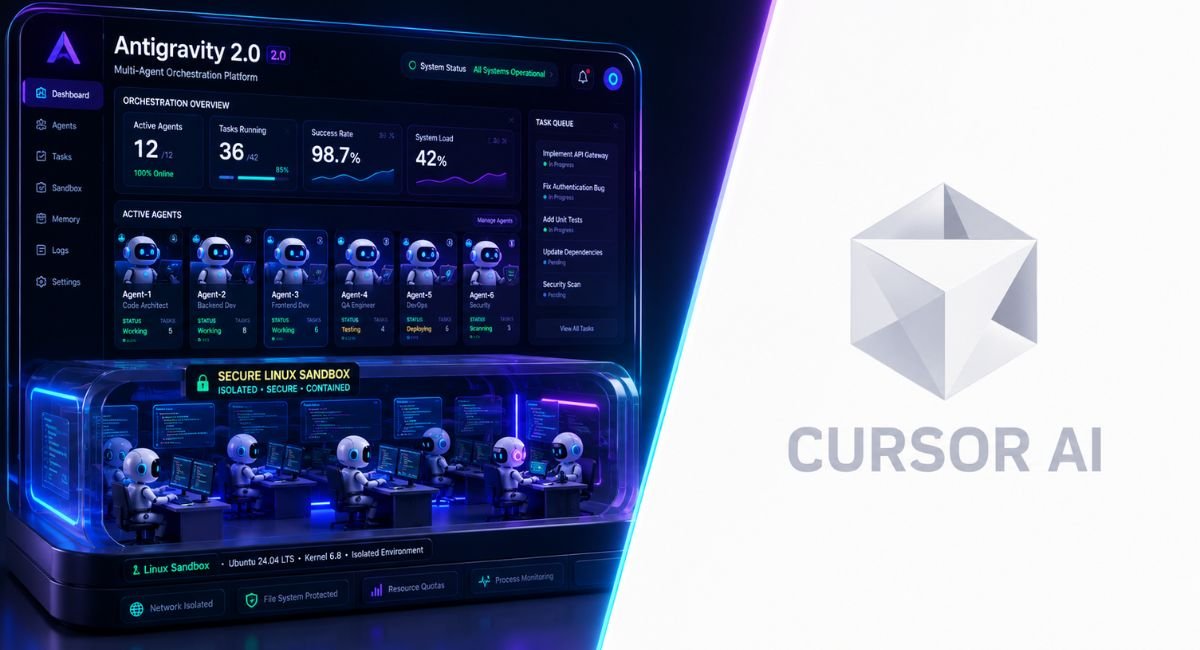
The AI coding industry changed dramatically after Google introduced Antigravity in late 2025. Developers across the USA now compare this futuristic platform against Cursor AI to see which tool truly improves coding speed, automation, and workflow management. This Google Antigravity review 2026 explores whether Google’s new AI-powered IDE can outperform Cursor in real-world development. Unlike traditional editors, Antigravity focuses on autonomous workflows, intelligent planning, and advanced agent coordination.
Meanwhile, Cursor still dominates discussions around productivity and developer experience. The growing battle of Cursor AI vs Google Antigravity now shapes the future of modern coding. Many experts already consider both platforms among the Best AI IDE 2026 solutions for serious developers and enterprise engineering teams.
What Is Google Antigravity? Everything Developers Need to Know in 2026
Something unusual happened when Google launched Antigravity. Instead of releasing another chatbot wrapped inside an editor, Google created an entirely new Agent-first IDE built for autonomous workflows. This platform operates as an advanced AI-powered IDE that allows developers to supervise multiple agents simultaneously. Unlike traditional editors, Antigravity treats developers like project directors instead of manual coders. That shift changes everything about modern software creation.
Under the hood, Antigravity combines Gemini 3 Pro IDE capabilities with parallel automation systems and intelligent planning architecture. The platform includes Google Antigravity Manager View, an advanced dashboard for monitoring tasks, validating outputs, and reviewing AI-generated actions. Developers can dispatch several Parallel AI agents across repositories while tracking progress through the powerful Artifacts system. This creates a radically different development experience compared with traditional AI developer tools and standard autocomplete systems.
Google Antigravity Core Architecture
| Feature | Google Antigravity |
| IDE Type | Native AI-first environment |
| AI Models | Gemini 3.1 Pro, Claude Sonnet 4.6, GPT-OSS-120B |
| Workflow | Multi-agent coding workflow |
| Context Window | 2 million token context window |
| Main Focus | Autonomous engineering |
| Browser Tools | AI browser automation tool |
| Enterprise Features | Compliance tracking and planning |
Cursor AI vs Google Antigravity — Which AI Coding Assistant Actually Performs Better?
Speed alone no longer defines the best coding assistant. Modern developers now evaluate reasoning depth, workflow continuity, debugging intelligence, and automation stability. In the ongoing battle of Cursor AI vs Google Antigravity, both platforms deliver excellent performance. However, they approach development differently. Cursor behaves like an elite coding companion while Antigravity behaves more like an autonomous engineering coordinator.
Cursor focuses heavily on polish and responsiveness. The famous Cursor 3 Agents Window allows developers to run coding sessions across local devices, cloud systems, and SSH environments. Meanwhile, Antigravity emphasizes transparency using its Agent transparency system and visual workflow planning. Cursor feels smoother during rapid coding tasks. However, Antigravity performs better during large architectural operations and enterprise-scale AI workflow orchestration scenarios.
AI IDE Comparison Table
| Feature | Cursor 3 | Google Antigravity |
| Coding Speed | Excellent | Excellent |
| Workflow Planning | Medium | Advanced |
| UI Polish | Outstanding | Good |
| Multi-Agent Support | Strong | Very Strong |
| Browser Automation | Built-in | Advanced |
| Enterprise Visibility | Moderate | High |
| Plugin Ecosystem | Large | Early-stage |
| Stability | Strong | Improving |
Google Antigravity’s Biggest New Features & Latest Updates in 2026
One breakthrough separates Antigravity from older coding platforms. The system thinks in projects instead of prompts. Its AI agent orchestration framework allows multiple tasks to execute simultaneously across repositories, environments, and testing layers. Developers no longer babysit every command manually. Instead, they supervise intelligent systems using planning dashboards and execution pipelines. This makes Antigravity one of the most ambitious AI software development tools currently available.
The platform also introduces several unique innovations. Features like Browser recording artifacts, Embedded browser annotations, and AI-generated task plans transform how developers review changes. Antigravity also supports Per-agent model assignment, meaning one agent can use Claude Opus 4.6 coding while another uses Gemini 3.1 Pro for planning. This hybrid intelligence dramatically improves large-scale engineering tasks and advanced AI-assisted development workflows.
Latest Features Developers Love
| New Feature | Why It Matters |
| Cloud handoff feature | Continue coding after laptop shutdown |
| AI planning mode | Better project visibility |
| Fast Mode AI execution | Faster prototyping |
| AI browser interaction | Automated UI testing |
| Context memory | Improved repository understanding |
| Real-time code generation | Faster delivery cycles |
Best AI Tools for Developers in 2026: Where Antigravity and Cursor Rank
The modern AI development market now resembles an operating system war. Developers no longer choose simple assistants. They choose entire ecosystems. Platforms compete through automation depth, integrations, and developer velocity. Today, Best AI IDE 2026 discussions usually include Cursor, Antigravity, Claude Code, GitHub Copilot, and several emerging AI coding assistant platforms.
Among all competitors, Antigravity stands out because it blends enterprise orchestration with free access. That combination feels disruptive. Cursor remains stronger for mature workflows and professional polish. However, Antigravity leads innovation inside the growing AI coding ecosystem. For startups, agencies, and SaaS teams searching for advanced AI tools for SaaS developers, the platform offers tremendous long-term potential. Developers exploring modern AI-assisted workflows can also learn how to use Bolt.new for vibe coding in 2026 to better understand how next-generation AI IDEs are transforming rapid software development.
Top AI Coding Platforms in 2026
| Tool | Best For |
| Cursor 3 | Production engineering |
| Google Antigravity | Multi-agent automation |
| Claude Code | Terminal-native workflows |
| GitHub Copilot | General coding |
| Cody AI | Enterprise assistance |
Free vs Paid — Is Google Antigravity Worth Paying For?
Pricing now shapes developer decisions almost as much as performance. Many founders want powerful automation without expensive subscriptions. This explains why Antigravity gained attention so quickly. The platform currently operates as a highly capable Free AI coding IDE powered by premium AI models. That pricing structure places immense pressure on competitors offering paid subscriptions and usage restrictions.
Cursor still provides exceptional value despite the competition. Many professionals happily pay because the user experience feels refined and battle-tested. Yet Antigravity changes expectations around AI coding assistant pricing. Developers now expect advanced models, autonomous workflows, and cloud automation without enterprise-level costs. This pricing disruption may permanently reshape the future of AI productivity software and AI cloud coding platform subscriptions.
Pricing Comparison
| Plan | Price | Main Benefits |
| Antigravity | Free | Premium AI access |
| Cursor Pro | $20/month | Advanced workflow tools |
| Cursor Ultra | $200/month | Enterprise scaling |
| Claude Code API | Usage-based | Flexible integrations |
Real-World Use Cases: Who Should Use Google Antigravity in 2026?
Many developers assume AI IDEs only help with autocomplete. That assumption now feels outdated. Antigravity functions more like a complete engineering coordinator. SaaS founders use it for MVP creation. Enterprises use it for compliance-heavy systems. Agencies rely on it for rapid client delivery. This flexibility makes it one of the most promising AI software engineering tools released in recent years.
The platform especially shines during large workflow operations. Teams handling massive repositories benefit from its AI IDE with large context window capabilities and advanced AI codebase management tools. Frontend teams also benefit from visual automation systems and integrated browser testing. Meanwhile, startups save development time using AI coding workflow automation, intelligent planning systems, and automated debugging pipelines.
Popular Use Cases
| Industry | Main Use Case |
| SaaS Startups | Rapid MVP development |
| Enterprises | Compliance workflows |
| Agencies | Multi-client automation |
| Students | Learning AI workflows |
| Full-stack Teams | Repository management |
Pros & Cons of Google Antigravity After Hands-On Testing
Every revolutionary platform carries trade-offs. Antigravity impresses developers with scale, automation depth, and intelligent workflow supervision. The system excels during complex engineering operations involving multiple agents and large repositories. Its AI coding productivity gains become obvious once teams restructure their workflow around parallel execution and planning-based automation.
Still, the platform remains early-stage software. Some developers report instability during longer sessions. Others mention missing MCP integrations and plugin limitations compared with Cursor. Certain workflows still feel experimental. Even so, Antigravity already demonstrates enough innovation to become a major threat in the future AI automation platform landscape.
Pros and Cons Table
| Pros | Cons |
| Advanced automation | Stability issues |
| Free premium access | Smaller ecosystem |
| Massive context handling | Limited plugins |
| Excellent transparency | Early-stage UX |
| Powerful planning tools | Learning curve |
Google Antigravity vs Cursor AI Benchmarks — Which One Wins in Real Coding Tasks?
Benchmarks dominate AI marketing campaigns. Yet real-world productivity matters more than leaderboard screenshots. Antigravity currently performs extremely well across major AI coding benchmarks including SWE-bench verified and Terminal-Bench 2.0. These tests evaluate debugging, reasoning, refactoring, and repository comprehension under realistic conditions.
However, benchmarks only reveal part of the story. Cursor performs exceptionally during daily coding because of its polished interface and optimized workflows. Features like Composer 2, Real-time reinforcement learning, and advanced AI code completion systems improve practical usability. Meanwhile, Antigravity dominates architectural planning and large-scale AI development lifecycle management.
Benchmark Results
| Benchmark | Cursor 3 | Antigravity |
| SWE-bench Verified | Competitive | 76.2% |
| Terminal-Bench 2.0 | Top-tier | 54.2% |
| UI Speed | Excellent | Good |
| Context Handling | Strong | Outstanding |
| Enterprise Visibility | Moderate | High |
Security, Privacy & Enterprise Readiness — Can Companies Trust Antigravity?
Enterprises no longer evaluate AI tools purely on productivity. Security, compliance, and auditability now matter equally. This area gives Antigravity a unique advantage. Its Enterprise compliance workflows, transparent planning systems, and artifact tracking allow companies to validate every AI-generated decision. That level of visibility feels increasingly important for regulated industries.
Antigravity also introduces strong governance concepts into the growing Enterprise AI coding platform category. Features like AI governance tools, AI workflow management, and audit-ready artifacts help enterprises supervise autonomous systems responsibly. Still, some organizations may hesitate until Google expands stability, integrations, and enterprise certifications further.
Enterprise Security Comparison
| Security Feature | Antigravity | Cursor |
| Artifact Tracking | Yes | Partial |
| Compliance Visibility | Advanced | Moderate |
| Governance Controls | Strong | Growing |
| Plugin Security | Limited | Mature |
| Enterprise Readiness | Emerging | Proven |
Google Antigravity Alternatives Developers Should Consider in 2026
No single platform fits every engineering workflow. Developers working inside terminal-heavy environments often prefer Claude Code. Teams requiring mature integrations usually choose Cursor. Others still rely on GitHub Copilot because of simplicity and ecosystem familiarity. This growing competition benefits developers because every platform now races to improve automation quality.
Still, Antigravity remains uniquely ambitious among modern Google Antigravity alternatives. Few competitors combine autonomous planning, transparent workflows, browser automation, and parallel execution into one cohesive environment. That innovation places it among the most disruptive Best AI tools for programmers and next-generation AI coding agents for enterprises available today.
Major Alternatives
| Alternative | Strength |
| Cursor AI | Workflow maturity |
| Claude Code | Terminal experience |
| GitHub Copilot | Simplicity |
| Cody AI | Enterprise support |
| Tabnine | Lightweight automation |
Final Verdict — Should You Switch From Cursor AI to Google Antigravity?
The future of software development now revolves around orchestration instead of autocomplete. Developers increasingly supervise systems rather than manually writing every function. In that environment, Antigravity feels visionary. Its automation depth, planning systems, and enterprise visibility create a compelling glimpse into the future of AI-enhanced software engineering and autonomous development.
Still, Cursor remains the safer daily driver for many professionals today. The platform feels polished, stable, and deeply optimized for practical engineering workflows. Yet Antigravity evolves rapidly. If Google improves reliability and expands integrations, the platform could easily dominate the future AI developer ecosystem. Right now, the smartest setup may involve using both tools strategically depending on project complexity and workflow goals.
FAQs
Is Google Antigravity better than Cursor?
Google Antigravity performs better for large-scale automation, parallel workflows, and enterprise planning tasks. However, Cursor still offers a smoother user experience and stronger stability for daily coding. In the growing Cursor AI vs Google Antigravity debate, the better choice depends on your workflow, coding style, and project complexity.
What AI is better than Cursor AI?
Several tools now compete with Cursor AI in 2026. Google Antigravity stands out because of its autonomous agents and advanced workflow orchestration. Claude Code also performs exceptionally well for terminal-heavy development. Many developers consider these platforms the Best AI IDE 2026 options for advanced engineering and automation tasks.
Is Google Antigravity really good?
Yes, Antigravity is one of the most innovative AI-powered IDE platforms available today. Its multi-agent system, planning tools, and artifact tracking create a unique development experience. Developers especially like its large context handling and advanced AI coding workflow automation features for enterprise and SaaS projects.
Is Antigravity killing Cursor?
Antigravity is not killing Cursor yet, but it is creating serious competition. Cursor still dominates with mature workflows, better stability, and a polished interface. However, Antigravity’s free access, advanced automation, and enterprise-focused tools make it a powerful challenger in the future AI coding ecosystem market.
Is Antigravity AI safe?
Antigravity includes strong transparency and compliance systems designed for enterprise workflows. Features like artifact tracking and planning visibility improve trust and monitoring. While the platform continues evolving, many companies already view it as a promising Enterprise AI coding platform for secure and scalable AI-assisted development.

Welcome to Corexity! I’m Zain Bhatti, an AI-Powered SEO Strategist with 3 years of experience. I help you master the latest AI tools and rank higher with simplified, high-impact content strategies. Let’s grow together!